Showing posts with label YouTube. Show all posts

Friday, 16 June 2017

YouTube Stars Shine Animation Reallusion Animates VidCon 2017

SYNAPSE CIRCUIT 
YouTube Stars Shine with Animation Reallusion Animates VidCon 2017

NEWS!
#Reallusion #CrazyTalkAnimator #CrazyTalk #Animator #3 #Pro #CrazyTalkAnimator3 #2DAnimation #Cartoons #YouTube


The Reallusion machine keeps on rolling...


6/16/2017 San Jose, CA - VidCon, the YouTube creator's expo for today's online video stars and tomorrow's next YouTube celebrities will showcase this week. Many popular YouTube personalities compete for video views, subscribers, and big audiences that drive the VidCon experience Reallusion - the 2D/3D content and software developer - are proud to be showcasing its user-friendly CrazyTalk Animator 3 animation tool to help video content developers garner video engagement.
At VidCon 2017, Reallusion will be setup at Booth #2624 where would-be YouTube stars can sign up for an extended trial copy of CrazyTalk Animator 3 PRO (CTA3), and free video training. Qualified YouTubers can then upload their animated videos, or reviews, to YouTube and mention CTA3, and link back to the main CrazyTalk page in order to receive a full-version copy of CrazyTalk Animator 3 PRO worth $179.
Watch Video: Reallusion YouTube Demo
Animate in 5 Minutes with Specialized Tools
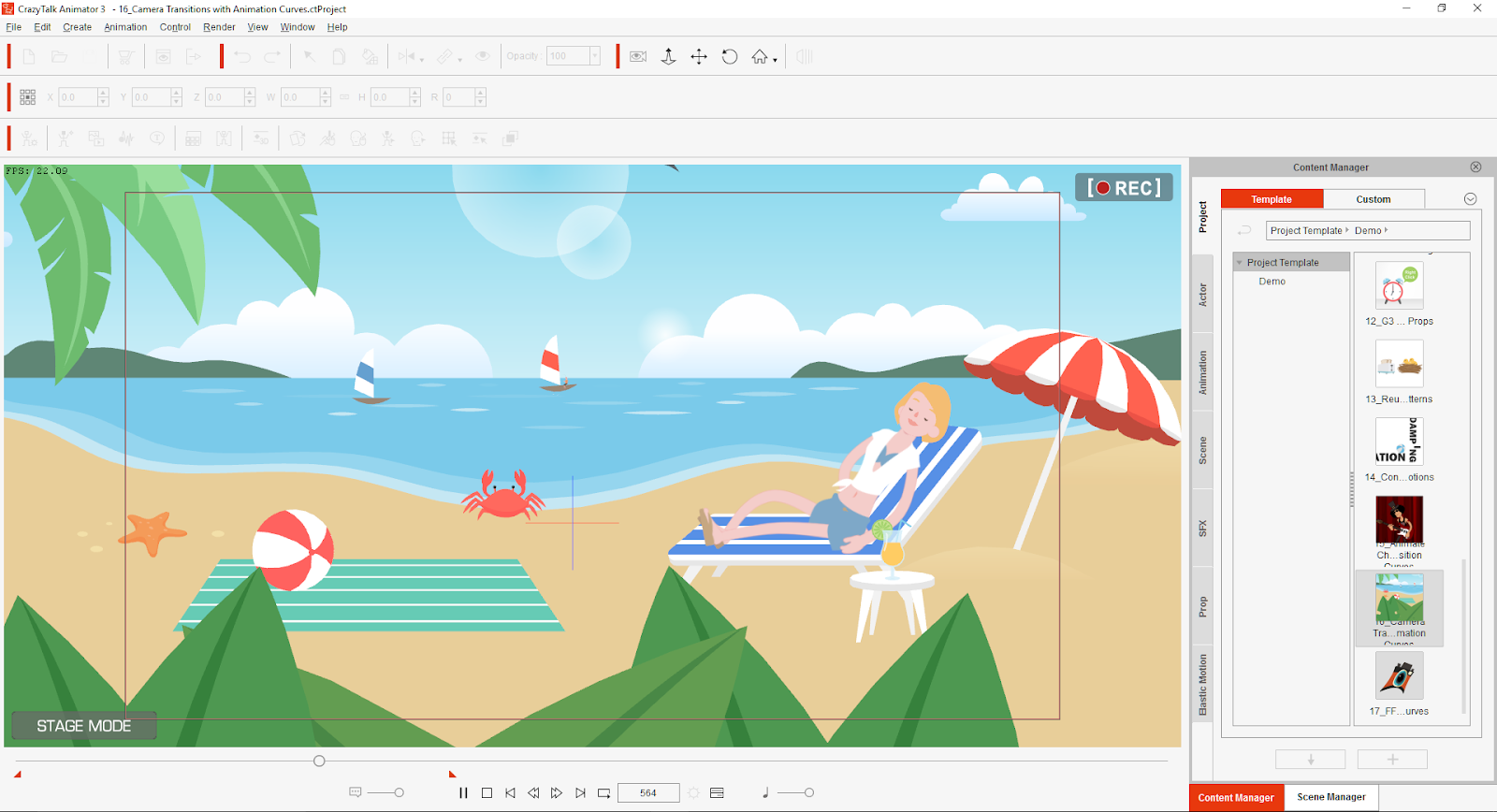
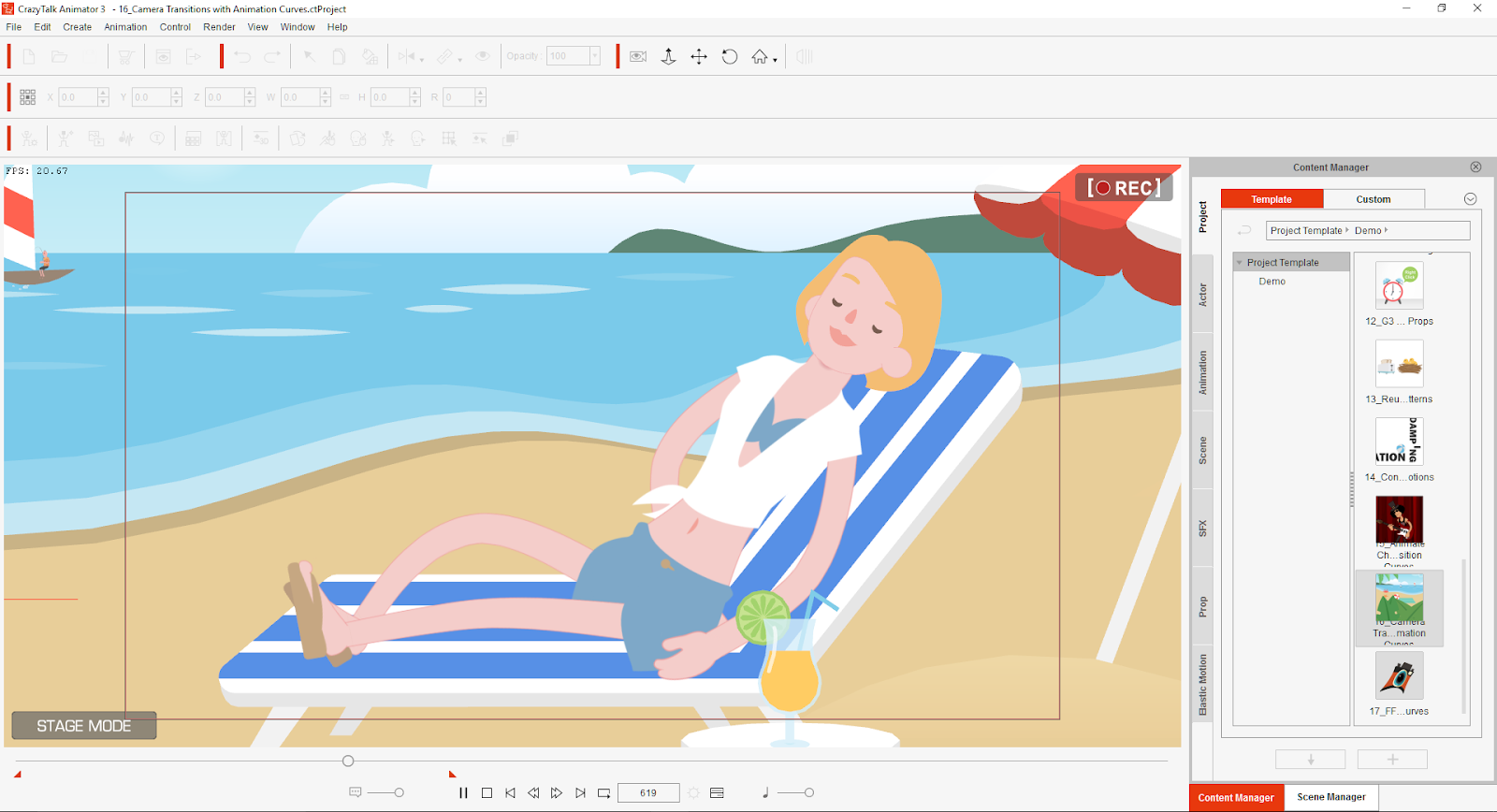
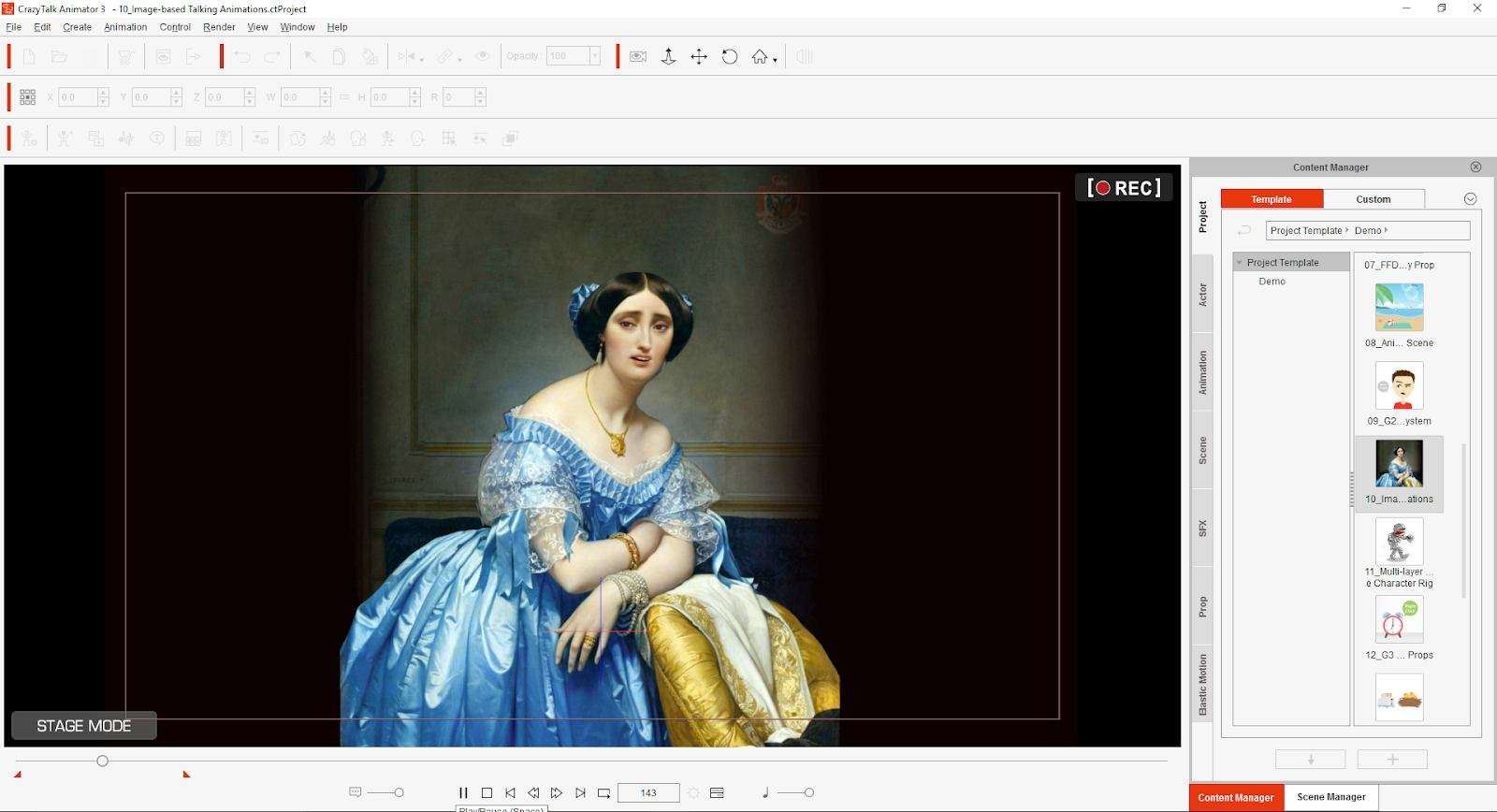
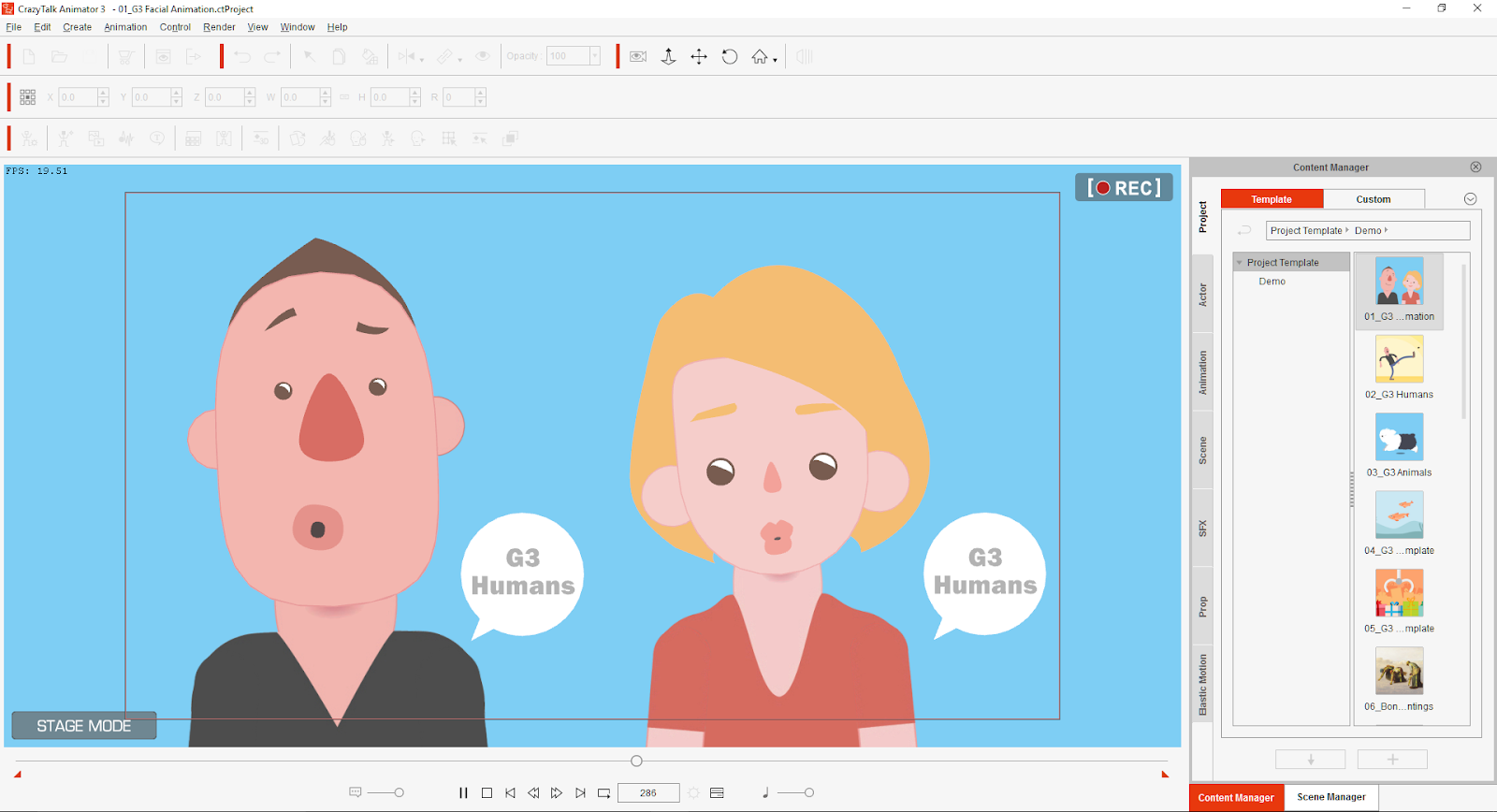
CrazyTalk Animator 3 (CTA3) is a revolutionary 2D animation suite that enables all levels of users to create pro-level animation with the least amount of effort and time. Now with CTA3anyone can instantly bring an image or photograph to life through preset motion effects, or they can setup their own custom characters to animate in minutes thanks to extensive motion libraries, intuitive facial puppets, and audio lip-syncing.
Personalize your Own YouTube Channels
In today's YouTube environment users are always looking for ways to stand out from the crowd. CrazyTalk allows users to customize their video effects by animating trademark logos, images, or text with just a mouse. YouTubers can create custom virtual 2D hosts which they can composite with real video footage, along with animated assets to give their channels their own personal style.
"Our delivery times are very short, and one of the things that allow us to meet these schedules is CrazyTalk Animator due to its speedy workflow." - Pablo Escalona / LunaCreciente YouTube Channel
Discover Why Other YouTubers choose CrazyTalk
For over a decade, CrazyTalk has been the go-to-tool for beginners and professionals who need quality animations in record time. YouTubers choose to use CrazyTalk thanks to its short learning curve, flexible interface, quick workflow, vast motion libraries, online content store and more.
YouTubers that use CrazyTalk Animator 3
442oons - Weekly Animated Football News
LunaCreciente - Musical Children's Channel
Super Kids TV - Children TV Network
Garry Pye - Comic Artist Turned PRO Animator
Linguaspectrum - Teacher Creates Popular Language Channel
*Created by 442oons
FREE CrazyTalk Animator 3 - Recruitment Program
YouTubers who are interested in animation can visit the Reallusion booth to sign up for an extended trail of CrazyTalk Animator 3, with online video training. Users simply need to fill out their basic information in order to receive an invitation email to download their extended trial. Qualified YouTubers can then claim a full-version copy of CrazyTalk Animator 3 PRO after uploading their first CrazyTalk video, or review, to their YouTube channels.
More info about CrazyTalk Animator 3
CrazyTalk Animator 3 is available for Mac or WIN PC, at Reallusion.com & the Apple Store -  https://www.reallusion.com/store/product.html?p=cta
Signup for CrazyTalk Animator 3 - Recruitment Campaign
www.reallusion.com\event\animator\youtuber
Free Animation Video Tutorials - Video Tutorials for CrazyTalk Animator 3


About Reallusion:

Reallusion Inc. is a 2D and 3D animation software and content developer. Headquartered in Silicon Valley, with R&D centers in Taiwan, and offices and training centers in Germany and Japan. Reallusion specializes in the development of real­time 2D and 3D cinematic animation tools for consumers, students and professionals. The company provides users with easy to use avatar animation, facial morphing and voice lip­sync solutions for real-­time 3D filmmaking, and previsualization for professional post ­production. Reallusion’s core technologies are widely used by trainers, educators, game developers and filmmakers.
Thank you for reading! Synapse Circuit / Blue Gene

Wednesday, 5 April 2017

MAGIX VEGAS MOVIE STUDIO 14 PLATINUM SYNAPSE CIRCUIT REVIEW

 SYNAPSE CIRCUIT 

Reviews... MAGIX VEGAS MOVIE STUDIO 14 PLATINUM

£69.99

#MAGIX #Vegas #Studio #VegasStudio #MusicMaker #DVD #Architect #DVDArchitect 
The MAGIX acquisition of Sony video and music applications must have come as a shock to the die hard users. I would imagine that many people using Vegas Movie Studio have not heard of MAGIX until now. So, if you're on version 13, read on… And if you are taking your first steps in video editing, read on...
MAKEOVER
One of the most off putting aspects of Sony multimedia software is the bland interface. Thankfully, MAGIX have given Vegas Movie Studio an aesthetically pleasing makeover; it doesn't hurt my eyes.


The workflow is smooth and logical; given a bit of time, MAGIX will perfect the interface for the next version. You should upgrade now if you're on version 13!


STABILITY
Vegas Movie Studio 14 Platinum is a very solid performer and did not crash on the AMD FX based PC used for the test. There was no stuttering during playback.

Users of version 13 have experienced constant crashes and I suspect that this is due to the system and software optimization. It appears to me that Sony didn't spend too much time on optimization. It's quite a hard task to optimize software for various PC configurations. This is why a lot of people have gone Apple Mac, Apple has a tight control over the hardware as well as the software.


However, MAGIX have more than a couple of decades of experience with intricacies of the PC. MAGIX has done wonders for Vegas Movie Studio 14 Platinum and will no doubt continue to do so for future versions.


COMPLIMENTARY
You're not just getting a video editing package! Uh-uh! No! You're getting excellent add-ons to compliment Vegas Movie Studio 14! You've got great transitions from New Effects; DVD Architect and the standard version of MAGIX's Music Maker DAW!

You're not going to get a better deal.
CONCLUSION
Vegas Movie Studio is in great hands! MAGIX have done a brilliant job of updating it and it will continue to get better.

If you are new to video editing and you are looking for a solid and inexpensive means to get started with a video editor then Vegas Movie Studio 14 Platinum could very well be for you. Again, you are getting more software in the box - DVD Architect and Music Maker! And, to top it off, you have some very useful plug-ins from NewBlueFX! And all for £69.99! How could you possibly go wrong!
SCORE
MAGIX Vegas Movie Studio 14 Platinum scores a Synapse Circuit Gold!

Start your YouTube channel right now!
Thanks for reading! Synapse Circuit/Blue Gene

Friday, 10 March 2017

REALLUSION CRAZYTALK ANIMATOR 3 SYNAPSE CIRCUIT REVIEW


SYNAPSE CIRCUIT 

THE RE-ANIMATOR? THAT'S CRAZYTALK!

Reallusion CrazyTalk Animator 3 Pipeline Edition $259 (check prices online) Review!
#Reallusion #CrazyTalkAnimator3 #2DAnimation #Cartoons

Those amazing guys at Reallusion never ceases to amaze, that’s why they are amazing! Every time I see a product preview/demonstration, I get blown away! To review Reallusion software is to be dumbfounded, excited and inspired.

Here’s the Synapse Circuit review of CrazyTalk Animator 3 (Pipeline Edition).

PINCH
CrazyTalk Animator is a 2D animation software that has to be used to be believed! Think about the time it takes to create one episode of your favourite cartoon series. Well, within an incredible short space of time, you will be able to create your very own cartoons! If you are looking for a way to start realizing your cartoon animated ambition, look no further. If you happen to be an experienced artist/illustrator and want to create and animate your own creations, CrazyTalk Animator 3 Pipeline is definitely the software for you! It’s available for the PC and MAC platforms. I reviewed the PC version.  
02.png
You will be pinching yourself using this awe inspiring animation software.

EVOLVE
Me? I have zero talent in creating animation but after doing the tutorial, I feel that I can be creative as there are usable templates that features characters and props. What’s more, is that I can animate just about anything using photos and scanned images.
03.png
I can create a vocal recording and the automatic lip sync makes light of characters appearing to talk in sync with the recorded audio speech. You can also use Text-To-Speech WAV files and CrazyTalk Script. The Facial Animation facility is just nuts! I have used previous incarnations of CrazyTalk and it is truly astounding how the software improves with each version; just when you thought it couldn’t get any better, it does! Reallusion makes creating 2D animation easy and painless!

I would recommend going for the Pipeline version as it packed with features and additional characters and pros. Plus you can download more via the Pipeline!

IN USE
04.png
Bear in mind that I am not yet an illustrator, I am confident that given a bit of time, I will be able to create like the professionals. I mean, just look at how simple the Hello Kitty character is drawn and how iconic she is! I am currently learning to use Affinity Designer by Serif. Affinity Designer has replaced DrawPlus. So, if you have DrawPlus or Affinity Designer and you happen to be talented at illustration and character creation, then Reallusion CrazyTalk Animator 3 (Pipeline) and the aforementioned Serif illustration software is a marriage in Animation Heaven!

That said, if you happen to be Photoshop or equivalent based then you should be able to create brilliant animation with photos. You can create your own style! There is always room for more animation artistry.

CrazyTalk Animator 3 Pipeline edition is so very, very easy to use. If you are, like me, not very good at animation you can just drag and drop predefined animations in the Content Manager.

CONCLUSION
05.png
Reallusion CrazyTalk Animator 3  Pipeline Edition is the pinnacle of 2D animation software, no other animation software is as easy to use and is as cost effective.

There is a strong tutorial resource on the Reallusion website: www.reallusion.com

I strongly recommend that you do the tutorials as they are easy to follow, step by step instructions that will allow you to become familiar with the interface and how make the most of the software! You could be creating fantastic cartoon animation and become a YouTube content creator! WOW!

CrazyTalk Animator 3 is capable of professional results, outputs to HD and 4K. The beauty is that it is within reach of anyone who can find a use for it:-

Professional Animators TV/Film

Presentation Creation Designers

Educational Institutions & Animation/Media Teachers

YouTube Content Creators

If your project could do with some unique 2D animations then this is your one stop solution!

The PC I used is an 5 year old AMD quad core based, just imagine what can be done with a PC of today’s insane specifications! Just add a USB audio recording device and you have a studio in which you can have vocal actors voicing your characters!

This is why PCs are still relevant today. Sure, they aren’t selling as much because most households have access to Social Media and the Internet via their mobile devices. But if you want to do something creative on the PC such as real professional animation, Reallusion CrazyTalk Animator 3 is the way to go! I am looking to get an infinitely better PC soon! I have some ideas… Sssh!
SCORE
Reallusion CrazyTalk Animator 3  Pipeline Edition scores an effortless Synapse Circuit Double Platinum! Get it now! You’ll hate me for about a week because I can guarantee that you will be pinching yourself. You will be pinching yourself at how wonderful the interface is to use and with the results!

Thank you for reading! Synapse Circuit/Blue Gene

Friday, 26 June 2015

MAGIX MUSIC MAKER MOVIE SCORE EDITION REVIEW SYNAPSE CIRCUIT


SYNAPSE CIRCUIT
MAGIX MUSIC MAKER MOVIE SCORE EDITION
REVIEW

Available on the Magix website for £24.99

Goodhour, Synapse Circuit Readers! Always it is wonderful to see you! Life is great! And I just happen to think that with the aid of technology that life is greater still! I guess you do too otherwise you wouldn’t be reading this!

Hey, I have a project for you! Don’t let your pictures and videos sit in the cloud doing nothing! Although the Google Photos app can take your pictures and videos and make a bigger video out of them but nothing beats having an idea and executing it from start to finish! There’s no doubt that the smartphone has become an integral part of our lives... The cameras on these things are... WOW! It’s time to add a unique soundtrack to compliment your unique video! Can’t play an instrument to save your life? Read on!

#Magix #MusicMaker #MovieScore #Video #VideoEditing

SOUND ADVICE
There’s nothing like watching a talent show to feel completely talentless or, better still, to feel that urge to take up an instrument... Singing lessons? OK, I’ve gone too far... Here’s some great news... While you are learning an instrument you can train your ear while creating a brilliant soundtrack for your video / movie! Yay!

Music Maker Movie Score Edition is, as you’d imagine, cut from the mighty Music Maker Premium (2015 is the current version). The full blown Music Maker 2015 Premium may be overkill if you don’t see yourself as a music producer – but if you did... Anyhoo, if you are a keen videographer or video maker (whatever you want to call yourself) you may want to give Music Maker Movie Score Edition a try... Why? I will fill you in...

GET TONED UP
Come back! Don’t go to the gym! What I mean is that even if you are tone deaf – it’s hard to imagine that people can be – you cannot go wrong with Music Maker Movie Score Edition. Let me tell you how the concept works...

In a nutshell the Music Maker Movie Score Edition comes with over 1500 predefined sample loops that Magix call “Soundpools”. The musical genre covers, yes, movie score type loops i.e. string sections, ominous basses, choirs and so on – practically everything you have ever heard during your cinema attendance over the years. Although the musical loops – with the exception of a few FX – are categorised in key i.e. the C major scale. Don’t ring a bell? Well, when try to place unrelated keys together you are met with a dialogue box that asks if you want to match / compliment the musical loop(s) you’ve added to the available track slots. Oh, the loops are also categorised by tempo! Yes, you can mix different tempos... And you can purchase additional Soundpool collections to expand the usability.


Above: The Music Maker Movie Score Edition with Magix oriented VST instruments such as the Space Pad synth which is not part of the package. See below for the Magix VST instrument listing. 

 If you happen to know a thing or two about music, well you can purchase a keyboard book that tells you all the chords, scales and what keys complement each other, there are some great onboard virtual instruments:-

Soundtrack Percussion
Livid (drums)
Robota (Electronic drum machine)
BeatBox 2 (drum machine with bassline sounds)

The above are awesome instruments that sound fantastic. If you happen to have other Music Maker software installed on your PC it should recognize more Magix specific instruments. And if you don’t have other Magix Music Maker or Studio software installed on your system it is possible to buy some additional instruments from the Magix online store. Awesome! So, yes, you work with MIDI files if you are using the virtual instruments. If you like - Music Maker Movie Score Edition - can be used as sketchpad; export the MIDI file for use in other digital audio workstations. So, initially you don’t have to bring out the big guns (so to speak) to do a movie / video soundtrack.


ALL MIXED UP

Above: The Audio FX Rack; these effects can be applied to any track or a particular sample loop / sound component. 

In addition to the sound loops and virtual instruments there is a great mixer where you can mix up to 64 tracks of audio and less if you add video onto the tracks. There are the wonderful effects that really make your soundtracks sparkle which typical of the Music Maker legacy! There’s a delay, reverb, compressor and 10-band equalizer. If you have ever used the full blown Music Maker Premium version you’ll be familiar with the Mastering Suite; here the Mastering Suite is cut down but not so much that makes the exercise of mixing useless. In fact it’s not called the “Mastering Suite” but the main mixing desk stereo output has a final destination (hee hee) set of effects to enhance the sound:-

Reverb
Delay
10-band equalizer
and the most important effect, in my opinion, is the Compressor!


Above: The virtual mixing desk and Master Audio FX. 

The compressor, if you don’t know, can make for a hard and loud sound without distortion. But I have to say that I don’t miss the full blown Mastering Suite because the sound coming from Music Maker Movie Score Edition is fantastic! Crystal clear! See screenshots for the Audio FX Rack and Master FX.

Above: Here are some additional "essential FX" stomp-boxes that include a guitar amplifier set-up, Vandal SE. There's also a bitcrusher effect unit too.

There’s also some addition stomp-box effects including the special edition Vandal guitar amplifier; yes, it is possible to record external instruments and vocals. The possibilities are vast!

VERDICT
I have to say it: Magix is the reason why you would want to invest in a good PC. Magix produces high calibre software that practically helps to keep the PC alive! Music Maker Movie Score Edition is no exception for the brilliant Magix legacy!

What’s there not to like about Music Maker Movie Score Edition? For the serious video maker it beats using a bunch of the royalty free (and freely available online) music. You can bring either a rough cut or the finished video into the DAW (digital audio workstation) and compose the music directly to the video. Or you can bring in video material and do a very basic edit – you don’t need flashy fades / wipes – and then compose the music!

Here are the video import and export formats:-

AVI                 
MXV              
WMV             
QuickTime

The beauty of Music Maker Movie Score Edition is that if you decide that you like the Magix multimedia ethos you can then purchase higher end software such as Movie Edit Pro or Video Pro X (see the Synapse Circuit Video Pro X7 review by clicking on this text) you are able to transfer between the software.

The price, £24.99, is unbeatable! I have to give Magix Music Maker Movie Score Edition a Synapse Circuit Platinum!

The quality of the results is superb! You can’t go wrong! If you are a serious video maker / producer you will find that Music Maker Movie Score Edition is a must if your goal is to feature unique soundtrack music; from minimal to epic compositions that would make John Barry proud! Think about it... You could pay up to £30 or more for a track lasting 2 minutes! This is an all-round no-brainer: you don’t need to be a musical virtuoso and you don’t need a whole lot of money!

Thank you so much for reading Synapse Circuit!
Expect more reviews, news, opinions, competitions and more from Synapse Circuit! 

Wednesday, 8 April 2015

SORENSON SQUEEZE PRO 9 REVIEW SYNAPSE CIRCUIT


 SYNAPSE CIRCUIT
SORENSON SQUEEZE
PRO 9 REVIEW


PRICE: CHECK ONLINE FOR BEST PRICES. VERSION 10 (PRO) COSTS $749!

Goodhour, Synapse Circuit Readers! How are you? I hope that all is well and your tech is functioning as it should! I also hope that your tech projects are coming on a treat!

Last night MAGIX Video Pro X9 was brought to your attention (review coming up very, very soon)... If you are serious about video then you need to take a look at multifaceted Squeeze Pro 9 by Sorenson. Yes, I am well aware that the version 10 is out but you can still get an idea of how powerful and versatile Squeeze Pro is through this review.

#Sorenson #Squeeze #SqueezePro9 #SqueezePro10 #VideoEncoding #VideoStreaming #VideoFormatting #HTML5Video

SORENSON SQUEEZE:
SWISS ARMY KNIFE OF VIDEO


Above: The Sorenson Squeeze video tutorial that pops up when you first launch the program. 

Let me take you back a bit to 1997 when video on the web was in its infancy... When I worked for a web design company in Holland, Amsterdam I was charged with the task of finding out the best and cost effective solution for video streaming (on the web). Video is something that my former company wanted to offer to prospective clients as the goal was to transfer the CD ROM (remember that) to the web browser. After sitting through various options that offered a tiny resolution, 320 x 240, in comparison to YouTube’s full HD 1080p and 4K that we enjoy today. At the time I thought that RealPlayer and the RealVideo plugin was a good option; my former company agreed and soon enough we were streaming video, albeit small and pixelated, for clients. Unimpressed, many clients would ask me to re-imagine their PowerPoint presentations into a multimedia format for CD ROM distribution.

One of the main problems that many PowerPoint / multimedia producers faced was getting the right video format for various PC set-ups! No two PCs are alike as users tend to install various video players such as QuickTime (I think QuickTime is extinct now), MPEG (1 & 2), Windows Media and so on... And not to mention that some PCs were underpowered and while the video format was supported the processor wasn’t powerful enough to play it... Oh, the amount of times a CD ROM player would whizz around threatening to shatter the disc inside... We’ve come a long way from 1997! Sorenson Squeeze was one of the tools that I used back then to encode videos that would guarantee that the videos would be played back on virtually any PC powerful enough to play them! I thought that Sorenson Squeeze was a Godsend to multimedia producers way back then (for CD ROM).

VIDEO TODAY: BROADBAND
It never ceases to amaze me at just how far we’ve come in terms of video streaming; YouTube has revolutionized not only the Internet but TV as well! Let’s not forget that Adobe’s Flash video format had a great part to play in it as well. Now we can watch high quality video from our smartphones without thinking! However, there are times where you might not want to upload your video to the likes of YouTube...


Above: The many presets broken down into purpose i.e. broadcast, devices (Android, iOS and other mobile devices), Web and more. 

Let’s say that you run a very successful music – for argument’s sake – website that gets over 1 million views per day... Would you want to upload videos to YouTube and split the ad revenue when you have a possibility of hosting your own videos? I thought not! Dare I say it; your video content might not fit the YouTube criteria? Therefore the solution is to bypass the likes of YouTube and self-broadcast. One of the most annoying things about YouTube is those irritating banner ads that obscure the frame and subtitles. Enter Sorenson Squeeze Pro 9!

Sorenson Squeeze Pro takes all the guess work out of video encoding thus making light of converting video into the appropriate streaming format such as WebM or MP4. All you would need then is a HTML5 based player such as the one found on: http://www.jplayer.org

These days Flash video is dying and will be totally obsolete like QuickTime is and it’s not worthwhile using the Flash FLV or SWF formats for video content.

IN USE
Just as it is with earlier Squeeze versions I found no problems with finding the appropriate video format(s); it is a matter of adding the desired formats to the job and then clicking on “Squeeze it”. It is possible to encode many video formats at once i.e. the original video, WMV, can be encoded to MP4, WebM, FLV, MP3 (yes, it’ll output just the audio in a variety of formats), QuickTime and more. The process does take a short while but it gets done!

Below: You can see the encoding process.


Squeeze Pro (9) can capture video from any DV source such as a camcorder for example. But these days you’d be more likely to import video off a (micro) SD card.

The process is as follows:-

1. Import a video file.
2. Add the desired video format or formats to the job list.
3. Click on “Squeeze it” and wait for the video(s) to encode.

It doesn’t get more complicated than that. The interface is very intuitive and you don’t really need to look at the tutorial video when you first launch the program as the interface does speak clearly to you. Well, it spoke and still speaks clearly to me! All the video formats that you are likely to need are there in the form of templates so you don’t have to worry about resolution, formatting, etc. I told you, Squeeze Pro (9) takes all the guess work out of the equation. And if you happen to be an expert at video encoding you can create your own presets for recall.

CONCLUSION
Sorenson Squeeze Pro is indispensible for serious video producers / broadcasters. If the price seems steep then you are not a professional. Don’t misunderstand me... I am not trying to guilt trip you into purchasing the Pro version of the Desktop edition as there are two other versions that may suit your budget: Squeeze Lite ($199) and Standard ($549).

As a professional you’ll know that the pro version will pay for itself. Fortunately you can decide which version is right for you as you can download trial versions of the software. The pro version gives you practically every video / audio format under the Sun to your disposal; you can’t go wrong! Depending on what format / resolution is chosen Squeeze Pro can cut the file size down to the lowest without sacrificing the quality (implied by “Squeeze”).

SCORE
5 / 5

A solid Synapse Circuit Double Platinum!


You just can’t go wrong with Squeeze Pro (9). It is solid! It certainly allows you to move away from YouTube and similar video online facilities. If you do your business right you could charge businesses ad rates to appear on your video broadcasts! Check it out! http://www.sorensonmedia.com

RECOMMENDED!
Thank you so much for reading Synapse Circuit!

Expect more reviews, news, opinions, competitions and more from Synapse Circuit!

Please check out the Synapse Circuit site here: Synapse Circuit.com

Synapse Circuit for tech news, opinions, articles, reviews and competitions. You will find interactive PDF magazines, videos and links to free legal software! Check it out at Synapse Circuit dot com