Showing posts with label The Simpson's. Show all posts

Tuesday, 2 May 2017

NEW CrazyTalk Animator 3.1 Auto-Rig Photoshop Artwork for PSD Character Animation SYNAPSE CIRCUIT NEWS

SYNAPSE CIRCUIT 

NEW! CrazyTalk Animator 3.1 Auto-Rig Photoshop Artwork for PSD Character Animation
NEWS!

#Reallusion #CharacterCreator2 #Character #Creator #2 #CrazyTalkAnimator3 #2DAnimation #Cartoons

I asked the question several weeks ago, "Do the Reallusion guys ever stop?" The answer is a resounding "NO"! Read on!

04/26/2017 San Jose, CA - Reallusion updates 2D animation software, CrazyTalk Animator 3.1 with specialized Photoshop templates to easily setup and save PSD character designs as fully auto-rigged CrazyTalk Animator characters.  CrazyTalk Animator PSD character animation tools allow any artist to create characters in Photoshop (or PSD layer compatible tools) that can come to life with lip-sync, bone animation and morphing.  You can save valuable setup time and quickly animate PSD characters directly from Photoshop using PSD templates designed to make human biped, quadruped, talking heads and more! Photoshop PSD Character Animation in 4 Easy Steps
1.    Design a Character using Photoshop or PSD compatible software
2.    Organize the PSD template and layers provided by Reallusion to setup the character. Apply body parts layers to the PSD template, and align the joints location
3.    Save and Import the PSD into CrazyTalk Animator to test, preview and round-trip edit
4.    Animate PSD characters with CrazyTalk Animator 3.1 motions, poses or facial animation

VIDEO:
Watch the Video: CrazyTalk Animator & Photoshop
https://youtu.be/kjFmOAobi4Y
Free Animation Resources for Photoshop
CrazyTalk Animator 3.1 offers a variety of resources for learning to animate with Photoshop characters.  Get started with setting up characters using PSD character animation templates, see how it works with sample PSD character design projects, try it yourself with source character design element downloads and perfect the technique with detailed whitepaper and video tutorials.

Sample PSD Character Animation Projects
Quickly learn to design and animate Photoshop characters by downloading and viewing the sample PSD character projects.  CrazyTalk Animator 3.1 Pipeline users gain instant access to a library of Photoshop projects featuring 9x Human Characters, 2x Quadruped, 3x Spine & Wing, and  5x bone character samples.
Step by Step Guide to Success
The CrazyTalk Animator 3.1 whitepaper is a complete PDF guide to mastering the magic of Photoshop character animation with CTA 3.1 in easy-to-follow illustrated steps. Learning to create and animate Photoshop characters with the whitepaper is a quickstart and reliable reference to understanding how to setup and import PSD characters for animation.
Free Photoshop Video Tutorials
Learn from the experts in 6 video tutorials designed to show the basics of creating characters in Photoshop, using the PSD templates to auto-rig character body parts, hand gestures and setting up PSD characters for facial animation and lip-sync.
Compatible Character Animation for PSD Software
Whether you are a Photoshop guru or prefer to use another PSD compatible character design tool, CrazyTalk Animator 3.1 fully supports PSD import with: Photoshop, Xara, Affinity Photo, Clip Studio Paint and Krita.
Design Characters with Dramatic Diversity
Create a whole community of diverse 2D character designs with the G3 Power Tools “The Elastics” content pack, a collection of ready-to-customize and animate 2D characters with various ages, ethnicities, along with body and face shapes! In this pack you will find 25x animated 2D characters with diverse facial components, everyday motions, along with a series of scenes and props.

Watch “The Elastics” content pack video https://youtu.be/lEhGazm29Kw
More info about CrazyTalk Animator 3.1 & Importing PSD
CrazyTalk Animator 3.1 is available for Mac or WIN PC, at Reallusion.com & the Apple Store -  For more info on purchasing CrazyTalk Animator - CTA 3.1 Pipeline Version required for PSD support https://www.reallusion.com/store/product.html?p=cta
Try CrazyTalk Animator 3.1 - Free Download - Pipeline Version https://www.reallusion.com/crazytalk-animator/download.html
Free Animation Video Tutorials
New tutorials on importing Photoshop PSD to CrazyTalk Animator 3.1
About Reallusion: Reallusion Inc. is a 2D and 3D animation software and content developer. Headquartered in Silicon Valley, with R&D centers in Taiwan, and offices and training centers in Germany and Japan. Reallusion specializes in the development of real­time 2D and 3D cinematic animation tools for consumers, students and professionals. The company provides users with easy to use avatar animation, facial morphing and voice lip­sync solutions for real-­time 3D filmmaking, and previsualization for professional post ­production. Reallusion's core technologies are widely used by trainers, educators, game developers and filmmakers.


Thank you for reading! Synapse Circuit / Blue Gene

Friday, 10 March 2017

REALLUSION CRAZYTALK ANIMATOR 3 SYNAPSE CIRCUIT REVIEW


SYNAPSE CIRCUIT 

THE RE-ANIMATOR? THAT'S CRAZYTALK!

Reallusion CrazyTalk Animator 3 Pipeline Edition $259 (check prices online) Review!
#Reallusion #CrazyTalkAnimator3 #2DAnimation #Cartoons

Those amazing guys at Reallusion never ceases to amaze, that’s why they are amazing! Every time I see a product preview/demonstration, I get blown away! To review Reallusion software is to be dumbfounded, excited and inspired.

Here’s the Synapse Circuit review of CrazyTalk Animator 3 (Pipeline Edition).

PINCH
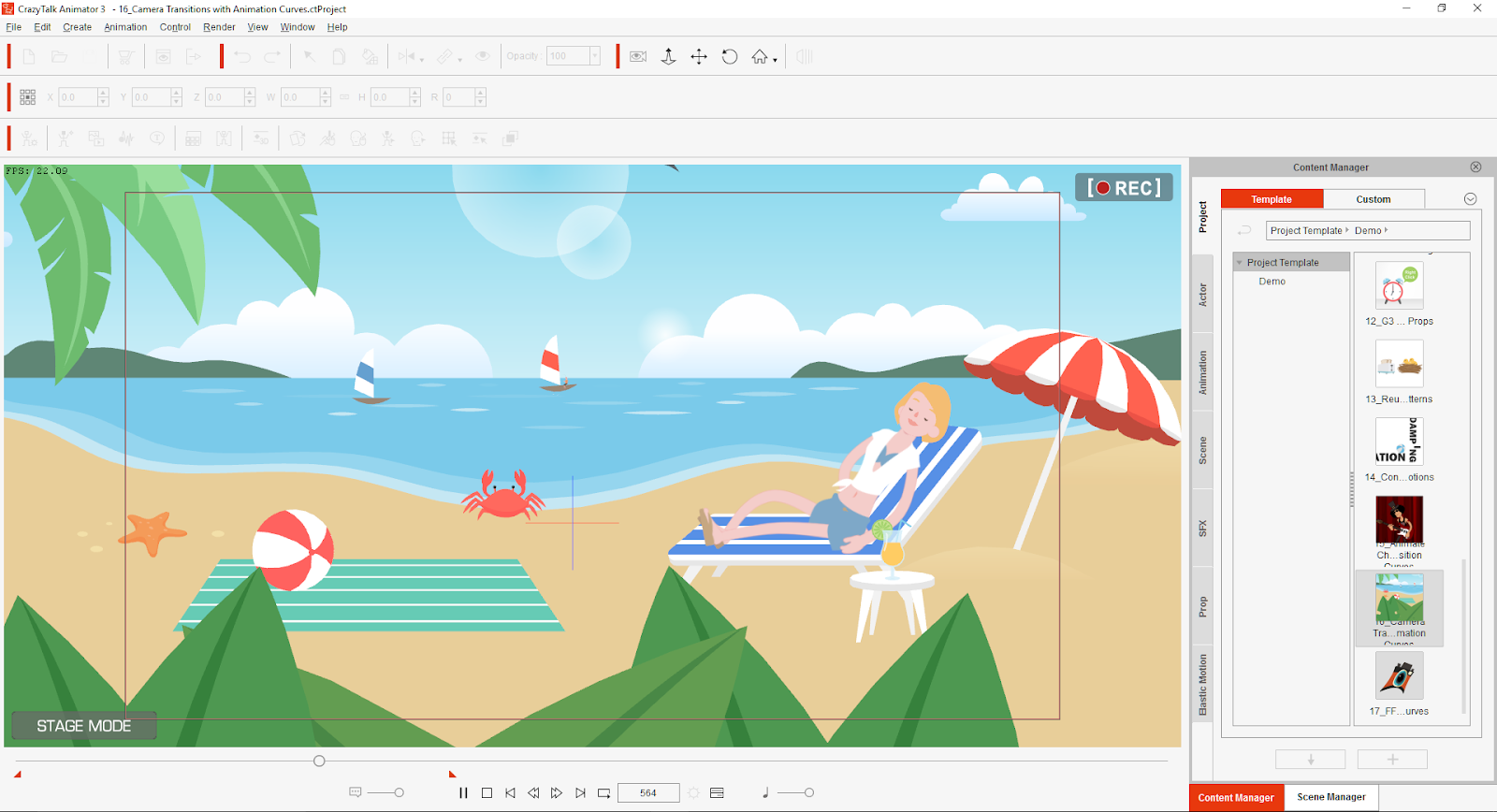
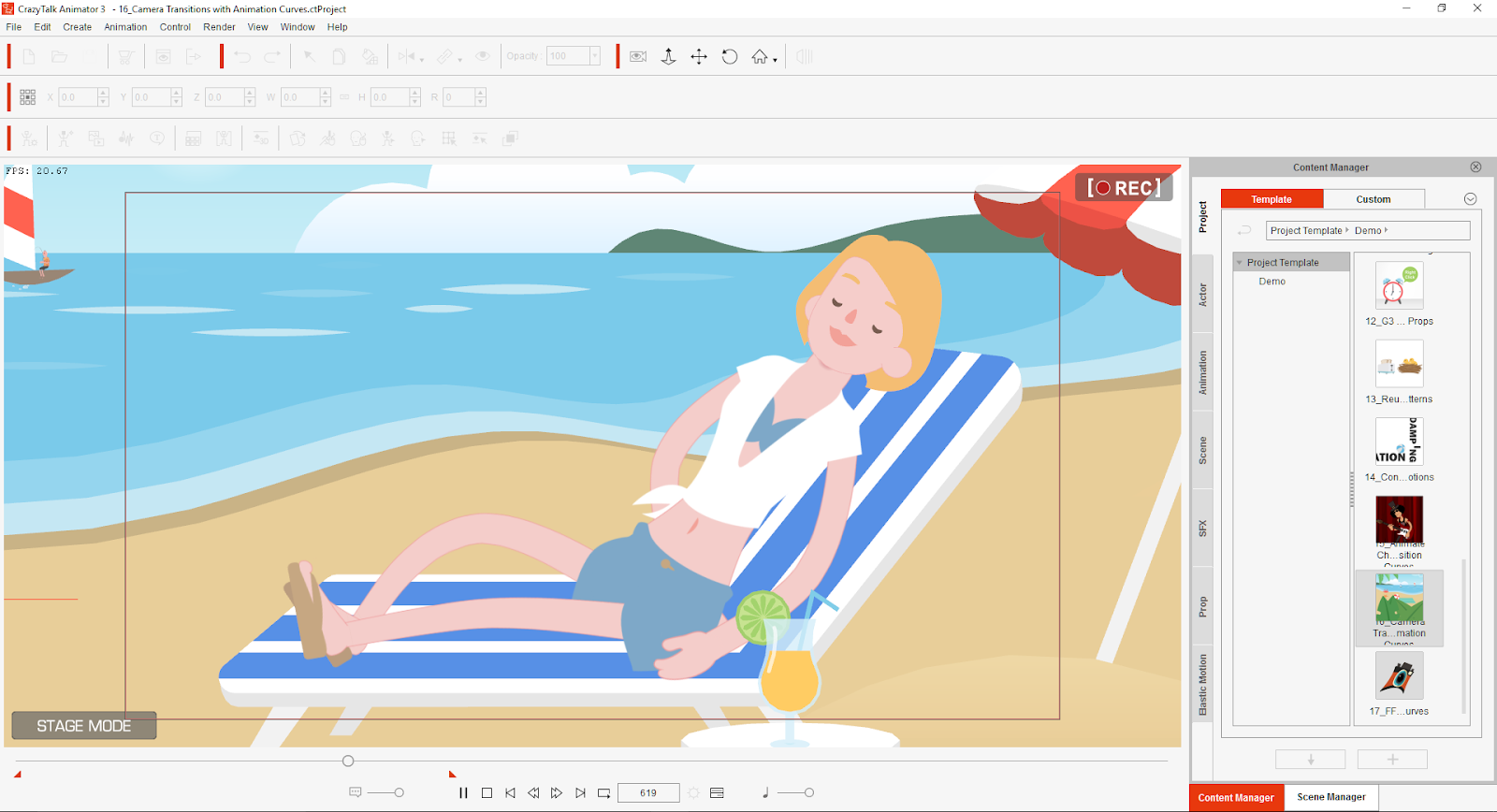
CrazyTalk Animator is a 2D animation software that has to be used to be believed! Think about the time it takes to create one episode of your favourite cartoon series. Well, within an incredible short space of time, you will be able to create your very own cartoons! If you are looking for a way to start realizing your cartoon animated ambition, look no further. If you happen to be an experienced artist/illustrator and want to create and animate your own creations, CrazyTalk Animator 3 Pipeline is definitely the software for you! It’s available for the PC and MAC platforms. I reviewed the PC version.  
02.png
You will be pinching yourself using this awe inspiring animation software.

EVOLVE
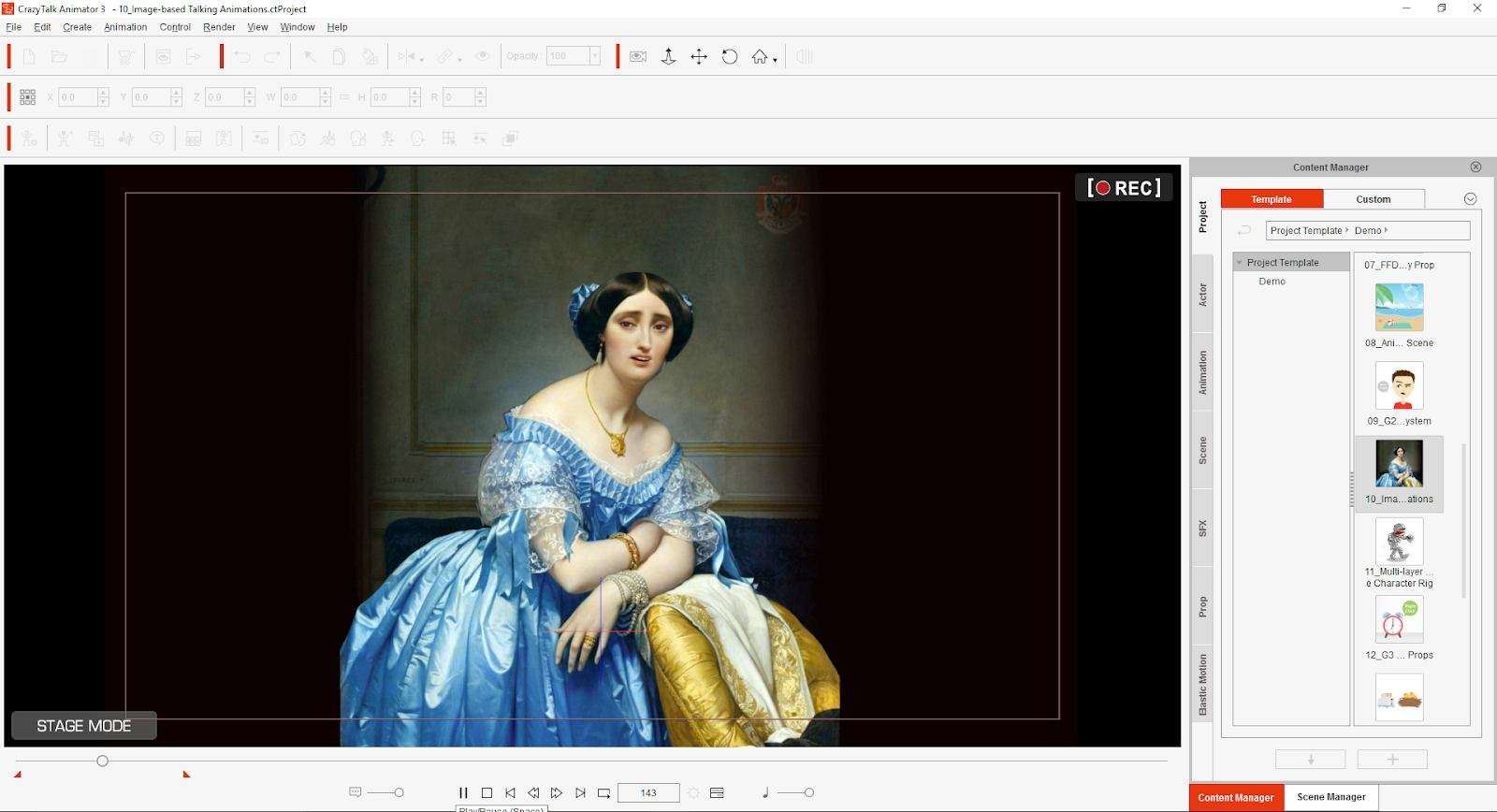
Me? I have zero talent in creating animation but after doing the tutorial, I feel that I can be creative as there are usable templates that features characters and props. What’s more, is that I can animate just about anything using photos and scanned images.
03.png
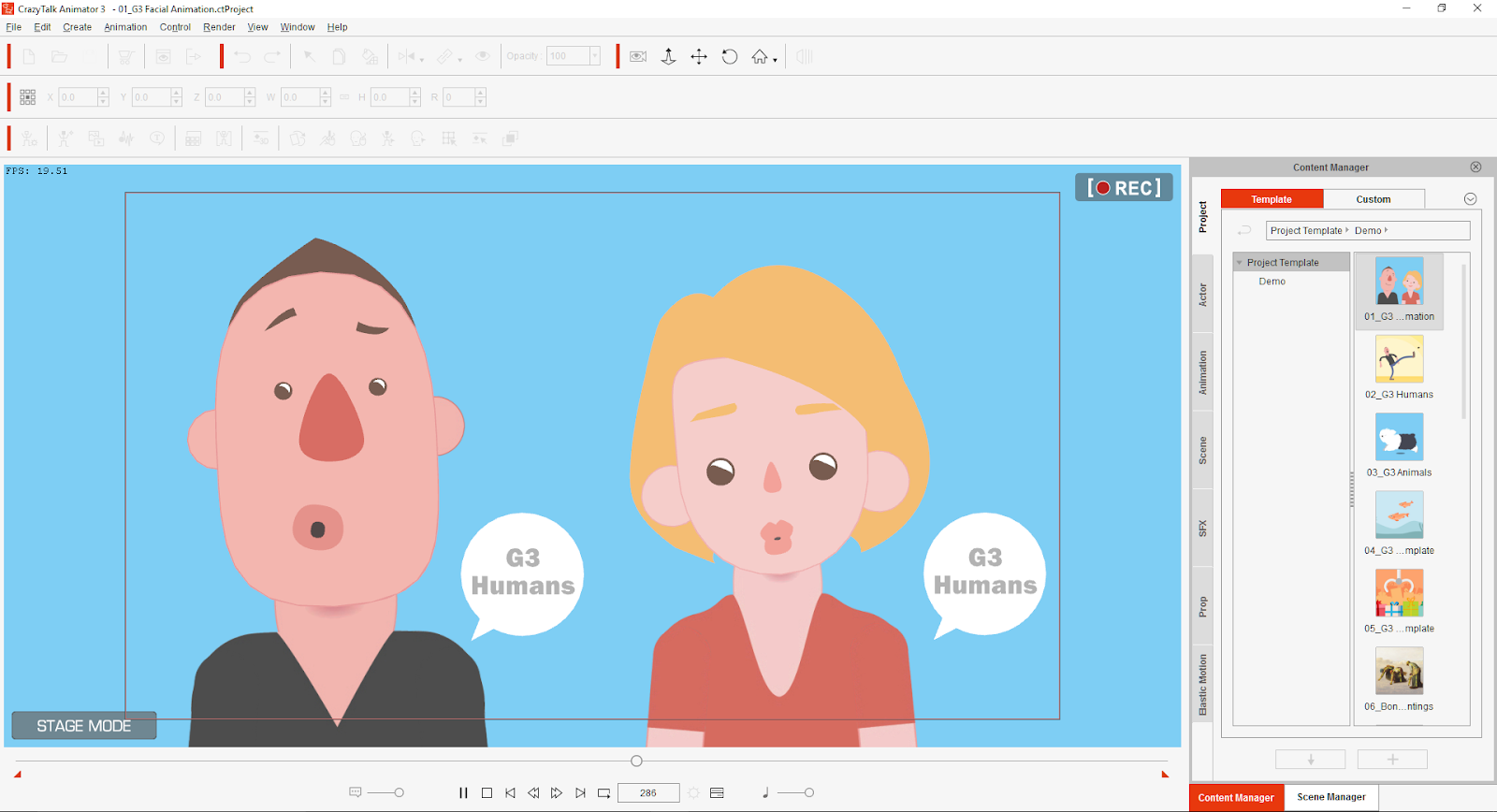
I can create a vocal recording and the automatic lip sync makes light of characters appearing to talk in sync with the recorded audio speech. You can also use Text-To-Speech WAV files and CrazyTalk Script. The Facial Animation facility is just nuts! I have used previous incarnations of CrazyTalk and it is truly astounding how the software improves with each version; just when you thought it couldn’t get any better, it does! Reallusion makes creating 2D animation easy and painless!

I would recommend going for the Pipeline version as it packed with features and additional characters and pros. Plus you can download more via the Pipeline!

IN USE
04.png
Bear in mind that I am not yet an illustrator, I am confident that given a bit of time, I will be able to create like the professionals. I mean, just look at how simple the Hello Kitty character is drawn and how iconic she is! I am currently learning to use Affinity Designer by Serif. Affinity Designer has replaced DrawPlus. So, if you have DrawPlus or Affinity Designer and you happen to be talented at illustration and character creation, then Reallusion CrazyTalk Animator 3 (Pipeline) and the aforementioned Serif illustration software is a marriage in Animation Heaven!

That said, if you happen to be Photoshop or equivalent based then you should be able to create brilliant animation with photos. You can create your own style! There is always room for more animation artistry.

CrazyTalk Animator 3 Pipeline edition is so very, very easy to use. If you are, like me, not very good at animation you can just drag and drop predefined animations in the Content Manager.

CONCLUSION
05.png
Reallusion CrazyTalk Animator 3  Pipeline Edition is the pinnacle of 2D animation software, no other animation software is as easy to use and is as cost effective.

There is a strong tutorial resource on the Reallusion website: www.reallusion.com

I strongly recommend that you do the tutorials as they are easy to follow, step by step instructions that will allow you to become familiar with the interface and how make the most of the software! You could be creating fantastic cartoon animation and become a YouTube content creator! WOW!

CrazyTalk Animator 3 is capable of professional results, outputs to HD and 4K. The beauty is that it is within reach of anyone who can find a use for it:-

Professional Animators TV/Film

Presentation Creation Designers

Educational Institutions & Animation/Media Teachers

YouTube Content Creators

If your project could do with some unique 2D animations then this is your one stop solution!

The PC I used is an 5 year old AMD quad core based, just imagine what can be done with a PC of today’s insane specifications! Just add a USB audio recording device and you have a studio in which you can have vocal actors voicing your characters!

This is why PCs are still relevant today. Sure, they aren’t selling as much because most households have access to Social Media and the Internet via their mobile devices. But if you want to do something creative on the PC such as real professional animation, Reallusion CrazyTalk Animator 3 is the way to go! I am looking to get an infinitely better PC soon! I have some ideas… Sssh!
SCORE
Reallusion CrazyTalk Animator 3  Pipeline Edition scores an effortless Synapse Circuit Double Platinum! Get it now! You’ll hate me for about a week because I can guarantee that you will be pinching yourself. You will be pinching yourself at how wonderful the interface is to use and with the results!

Thank you for reading! Synapse Circuit/Blue Gene

Saturday, 28 February 2015

REMEMBERING LEONARD NIMOY SYNAPSE CIRCUIT

SYNAPSE CIRCUIT
CULTURE: REMEMBERING LEONARD SIMON NIMOY
March 26, 1931 – February 27, 2015

Goodhour, Synapse Circuit Readers! It is great to see you as always! I hope that life is treating you well and that your tech is functioning as it should!

Yesterday the world was rocked by the passing of Leonard Nimoy otherwise known as Mr. Spock. I thought that I would write about Nimoy's and Star Trek's influence on my growing up as a child. What was your experience with Star Trek? Were you Mr. Spock or were you Captain Kirk in the playground? Here's my experience...

#LeonardNimoy #Spock #StarTrek #SciFi

ACROSS THE STARS


What can I tell you about Star Trek that you don’t already know or can find out for yourselves via Google? All I can say is that I used to watch Star Trek religiously as a child; come home from school, wolfed down my dinner and settled to watch what has to be the most successful Sci-Fi series of all time at around 19.00 on BBC 1. I was definitely too young to understand some of the deeper episodes when Captain Kirk wasn’t seducing or being seduced by some sexy looking female alien. Star Trek opened up my mind to imagine what the future would be like. I was always torn between wanting to be a charismatic fearless hero like Captain Kirk or the calm, deep and logical Mr. Spock. This was always a bone of contention and confusion in the playground at school; you know how it is... One minute you are Kirk and the next you are Spock. Many a make-believe game was spoiled by other children wishing to change characters on the fly and not to mention not being able to stay dead.

I see Google as being Star Trek what with Google Now and the ability to translate languages spoken in real time. Of course, we have communicator in the form the mobile phone and smartwatch. Yes, I know I keep ripping on Apple but I do see them as being the Borg of the later Star Trek spin offs; they assimilate the technologies of others and call claim them as its own. OK! Enough of that already... Star Trek has inspired science and the technological industries.

I wonder what it must have been like for Leonard Nimoy to see much of Star Trek materialize in his lifetime... The 3D printer, handheld devices that can analyze blood, tablets (not that I can remember a tablet featured in Star Trek) and voice recognition – artificial intelligence that has many of us holding conversation – of sorts – with our devices.

MR. SPOCK

Throughout my child to the present day I have felt like an alien... I sometimes feel that I am the most misunderstood person on the planet! Such thoughts and feelings should never be with a child but such is life. For sure the Spock character gave me someone to identify with during my school years. Spock rarely got angry and chose – most of the time – to deal with situations with logic. People seem to forget that Spock influenced Kirk to be more thoughtful and less emotional. The constant verbal sparring between by Dr. Bones McCoy and Spock showed me, as a child, that some people are like that... ...some people need to cause some kind of fray when there is absolutely no need for it. It’s illogical and that’s the nature of a lot of people – I included.

I had learning difficulties growing up which was undiagnosed, dyslexia and dyscalculia, these afflictions were quite hard to deal with. Teachers would just get incredibly upset with me because I mostly likely defiled their dreams of being that special one who got through to all the pupils albeit inadvertently. Apologies, former teachers! It was the character of Mr. Spock that helped me use my mind in a different way. I knew that I had a flair for creativity and writing – even though I had certain limitations. I often would find myself in a world of my own trying to write about it in the hope that I would be understood better.

I became an artist / writer with the influence of the Mr. Spock. The mind is such a great place to explore. I think I surprised my teachers in high school when I became something of a poet. Yes, my brain does work!

LEONARD NIMOY

There was a time when I was fascinated by the man behind Mr. Spock. Even without the pointed ears the man looked pretty much like the half human alien he portrayed. He had a face like no other. I found his face delightfully bizarre in that he, as an actor, could look villainous but when he smiled I could see or at least imagine a heart-warming personality. Sometimes we think we know but do not.

I found the man mesmerising as he had a great sounding voice and he certainly knew how to emote with it. To see him in roles outside Star Trek was a sight to behold as a child. I remember him in Mission Impossible and a few different shows... shows that I shouldn’t have been watching but as an insomniac child I would often get up and watch these delightfully fascinating Sc-Fi / Horror TV series like the Twilight Zone. If my memory serves his character was on a train being seduced by a lovely looking woman and he was resisting... ...and when he gave in the woman became hysterical and cried for help or something like that... I think he was dragged off by the train police... Such were the times. But that has obviously stuck in my mind. I also remember seeing Nimoy in the 1978 remake of Invasion of the Body Snatchers. I found his portrayal of Dr. David Kibner character to be kind of creepy. I have to see that film again as my mind has developed considerably; I watched the film when it came on TV and I was anticipating another kind of horror which sent me in the wrong direction so to speak. But I was creeped out further when this body snatching spore enveloped Dr. David Kibner’s body.

I found the man amazing as he had many talents: actor, singer, writer, photographer and director. I thought Three Men and a Baby (1987) very enjoyable. The actors Ted Danson, Tom Shelleck and Steve Guttenberg never had a better on screen role. I was also very impressed that Nimoy directed Star Trek III: The Search for Spock in 1984 and Star Trek IV: The Voyage Home in 1986. I think The Search for Spock was quite emotional when we saw the rebirth of the character. I also loved the ‘save the planet’ tone of The Voyage Home.

Going back to Nimoy’s distinctive voice... I loved his work in cartoon series The Simpson’s and especially Futurama! You can hear that he had a great sense of humour and was able to laugh at himself, Spock and the Star Trek phenomenon – including fans.

BEAMED UP

So many people, including I, said “rest in peace” upon learning of Nimoy’s passing after 83 years on planet Earth. But when I think about death it is an odd concept or at least our attitudes towards it. Unless cremated the body – the shell does anything but to rest in peace. We either don’t want to think about the process a seemingly lifeless body has to go through or don’t believe there is an afterlife or a life beyond death.

Through Star Trek I have come to love science fiction, science and technology. Perhaps it is odd that this appreciating of science fiction has me to understanding that the amazing energy that powers the body has been transformed. When a light bulb blows the electricity is still there. It is so very odd that we only think of outer space in the context of the stars and other planets. But we often forget or seem to forget that we too are in space! The Earth is very much like a spaceship Enterprise (a strange name for a spaceship / starship given that enterprise is destroying the planet) and that our bodies are a biological spacesuit.

I would like to think of Leonard Nimoy continuing his voyage through space and time. Most certainly, I / we will still connect with his creative spirit and endeavour to make the most of our duration on starship Earth until the day we are beamed up too!

Oh, the Vulcan nerve pinch does work! Don’t try this at home. Better still, don’t try it at all.

Ah, I also have to state that Star Trek is also partially responsible for getting me into Electronic music what with all those lush sounds of laser beams, sliding doors and computer bleeps, etc. Thank you, Leonard Nimoy and Star Trek!

Thank you so much for reading Synapse Circuit! Live long and prosper!

Expect more reviews, news, opinions, competitions and more from Synapse Circuit!

Please check out the Synapse Circuit site here: Synapse Circuit.com

Synapse Circuit for tech news, opinions, articles, reviews and competitions. You will find interactive PDF magazines, videos and links to free legal software! Check it out at Synapse Circuit dot com

Tuesday, 17 February 2015

SYNAPSE CIRCUIT NEWS REALLUSION LAUNCHES ICLONE 6

 SYNAPSE CIRCUIT
NEWS:
REALLUSION LAUNCHES ICLONE 6 - REAL-TIME ANIMATION & CINEMATIC RENDERING

Goodhour, Synapse Circuit Readers! I hope that you had a great weekend! I also hope that all well in your world and that you’re making the most of your tech!

Here’s some brilliant news if you have been looking for a cost effective way to get into 3D animation and without a media degree!

#Reallusion #iClone6 #3DAnimation

ATTACK OF THE CLONES
iClone 6 now includes support for Industry leading tools Substance, SpeedTree, PhysX & Indigo Render with 10x faster production speed to create cost-effective 3D animations.

UK (February 16th, 2015) - Reallusion launches iClone 6, a substantially enhanced release three years in-the-making. iClone 6 features refined 3D scene and character animation tools, new ultra-realistic rendering plus cinematic all-in-one editing environment for filmmakers, animators and storytellers. – iClone 6, new flexible UI has settings for instant layouts to do “Animation,” or “Visual Effects” or you can setup your own customized UI workspace.  Apart from the vast visual and usability improvement, iClone 6 is empowered with lots of exciting features that are a direct result of months of collaboration with many, industry-leading real-time technology partners: Allegorithmic Substances – IDV SpeedTree – NVidia PhysX – Indigo Render.


With enhanced visual quality, a streamlined plug-in architecture and rich instant character content, iClone 6 democratizes 3D animation by offering easy-to-use, affordable and an open pipeline for everyone to create their own professional 3D animations.
MAIN FEATURES:-

iClone 6 adds new 3D technologies: Substance, Indigo, PhysX, SpeedTree
iClone 6 connects hobbyists to professional artists to industry-leading technologies with support for NVidia PhysX, IDV SpeedTree, Allegorithmic Substance and Indigo Render by Glare Technologies. 

Indigo RT Plug-in for Ultra-realistic Rendering
GPU acceleration with Indigo Ray Tracing rendering, enables iClone 6 users to achieve real-time production, bring more photo-realistic, cinematic look and feel to the iClone engine. To streamline this unique workflow, Reallusion provides an automatic shader mapping between iClone 6 and Indigo. In addition, users can perform custom refinement using Indigo's unique shader options, or they can choose to download Indigo's material library for even better results.

Support NVidia’s PhysX technology
For iClone 6 now supports NVidia’s PhysX technology which enables natural real-time simulation for hair and cloth movement, Reallusion has also enhanced the rigid body system with a brand new visual constraints system to easier structure sophisticated physics behavior. Enhancing the creation of natural scene is possible now as iClone 6 has upgraded it’s SpeedTree engine to give wind control over timeline and trees now come with multiple texture channels enhanced with normal, specular, and even transmissive effects. The powerful Substance engine is built-in to iClone 6 empowering users to easily add dynamic texture behaviors to existing iClone materials, as well as provide texture blending animation capabilities. Additionally, users can also load the vast Substance material library or create their own by using Allegorithmic’s Substance Designer tool.

One of the Largest Content Marketplaces
Reallusion is not only a 3D animation software provider with 300,000 content items in 14,000 packs, but it is also steadily becoming one of the largest real-time content marketplaces for instant animation resources. With top-selling game content providers: Dexsoft, Quantum Theory Entertainment, Protofactor and Necturus; iClone users can take advantage of using high-quality characters, scenes and props in their projects.


Smart character animation creation
Animate in iClone 6 without the hassle of complicated character preparation. Anyone can animate a 3D character with auto lip-sync capability and motion puppeteering tools. The embedded character content contains customizable facial & body templates along with outfits, props, motion profiles, particles and post effect templates that allow users to create an avatar and start animating on the spot.

Visit Reallusion’s website for free training, demo videos and more information: http://www.reallusion.com/iclone/default.aspx

Pricing & Availability:
iClone6 is now available at Reallusion Online Store in 2 versions for Windows PC.
iClone6 Standard list price: £79.99
iClone6 PRO list price: £159.99
Great value bundle deals: starts from £119 

About Reallusion Inc
Headquartered in Silicon Valley, Reallusion is a leading-edge software developer providing cinematic animation tools for PC, Mac and mobile platforms. Reallusion’s pioneering storytelling technology excelling at character animation, facial morphing and voice lip-sync allows fast creation of interactive avatars for 3-D real-time filmmaking and previsualization for professional post-production. Their powerful yet easy-to-use tools make character animation accessible to both Mac and PC users of all skill levels. Reallusion’s development of core technologies and growing base of intellectual property firmly establish the company as power among emerging technology innovators, furthering their graphic and imaging embedded kernels to top-brand device manufacturers worldwide. http://www.reallusion.com/

Thank you so much for reading Synapse Circuit!
Expect more reviews, news, opinions, competitions and more from SynapseCircuit!

Please check out the Synapse Circuit site here: Synapse Circuit.com

Synapse Circuit for tech news, opinions, articles, reviews and competitions. You will find interactive PDF magazines, videos and links to free legal software! Check it out at Synapse Circuit dot com

Friday, 30 May 2014

SYNAPSE CIRCUIT DAZ 3D DAZ STUDIO PRO 4.6

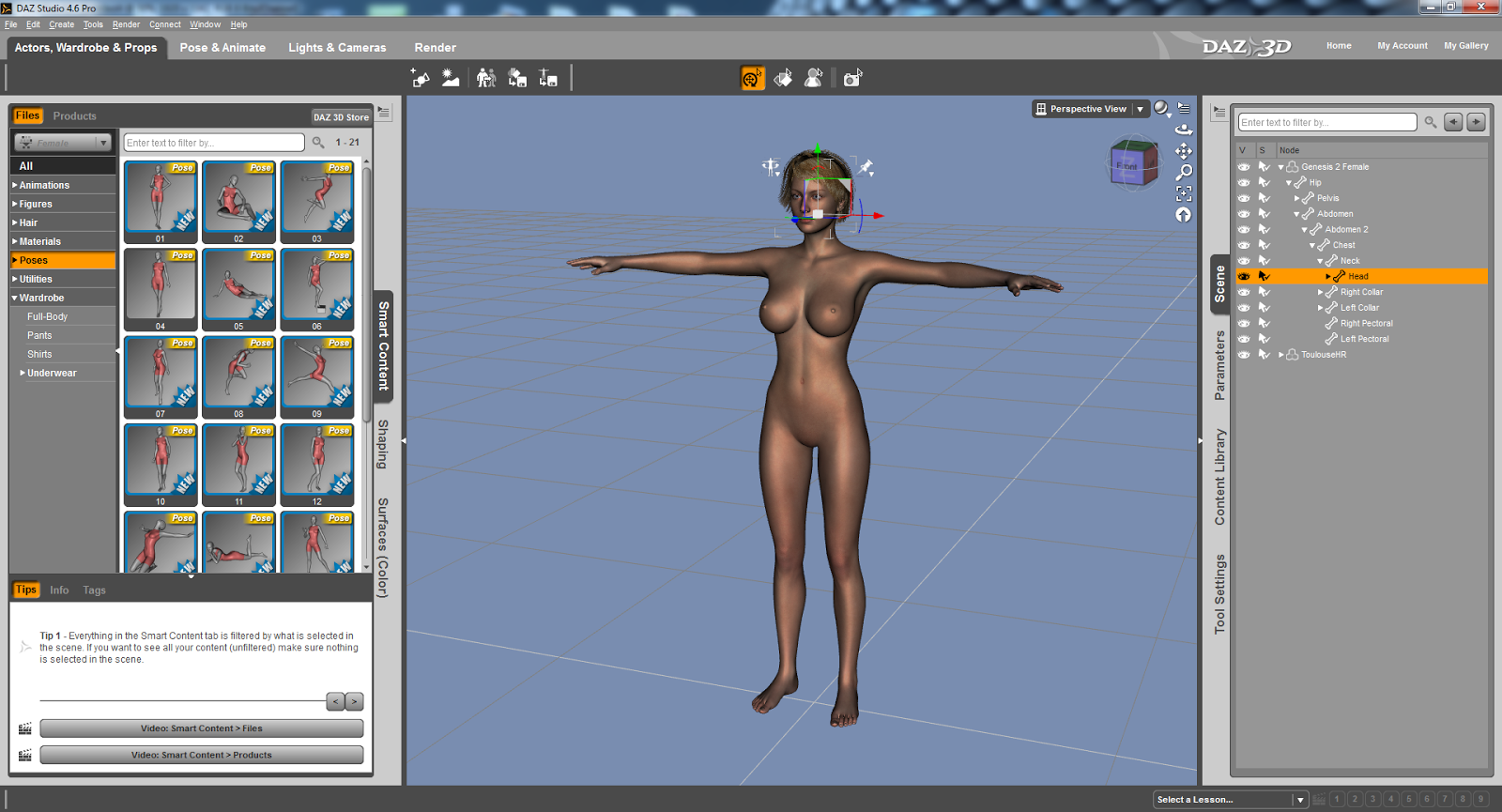
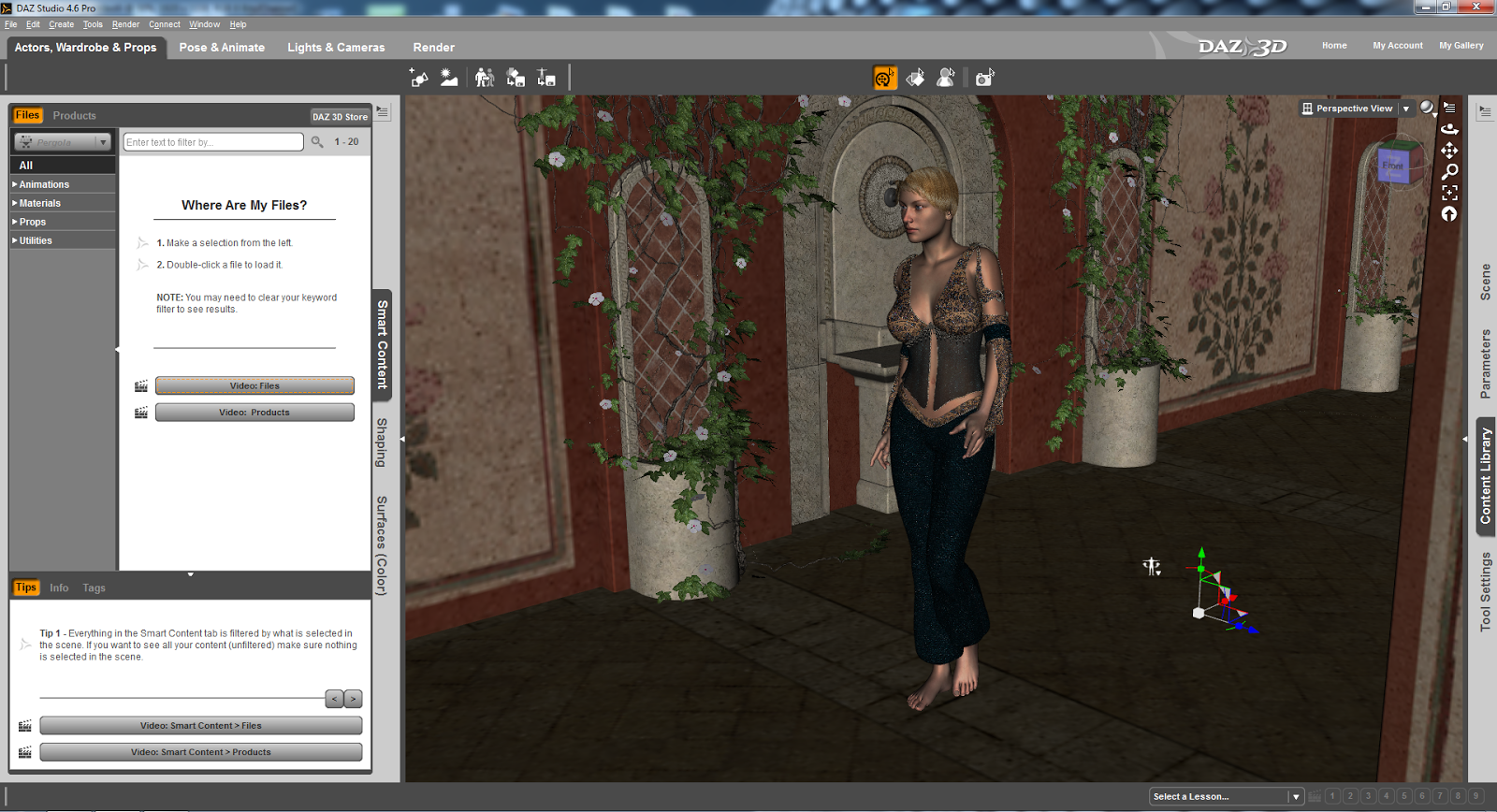
Above: Here's something I did in minutes!
Above: Here's the DAZ Studio Pro rendering process. Amazing, huh?
SYNAPSE CIRCUIT
ANIMATION SPECIAL PART THREE: DAZ 3D DAZ STUDIO PRO 4.6
32 & 64-bit

PRICE: FREE

#DAZ3D #DAZStudioPro4point6 #FreeSoftware #3DAnimation #3DGraphics

Good evening, Synapse Circuit Readers. How’s it going? I hope that you are well and that you are on the up and up! Positive thinking equals positive actions!

Seemingly random health tip: Check your blood for vitamin D deficiency!

Yes, the Synapse Circuit Animation Special is taking flight! A few days ago I had the pleasure of reviewing the fantastic Poser Pro 2014 by Smith Micro and before that I reviewed the amazing CrazyTalk Animatior 2 Pipeline software. Now I am bringing you a review of DAZ Studio Pro 4.6 from DAZ 3D! What’s more is that it’s free! YAY!!

INTRODUCTION
DAZ stands for Digital Art Zone – it took me how long before I learned that??? Lol! Well, now you know if you didn’t before! It’s bizarre... Many, many Moons ago I got an earlier version of the software on a magazine cover; I tried it and I did not like it. Again, I can be quite impatient with software – if I can’t understand it within an hour of constant use then I give up! How wrong was I? VERY!

Another problem I had and still have with DAZ Studio Pro is that it is fussy when it comes to graphic cards. Fortunately I have another system to use that features a better graphics card! Let the review commence! 


THE DAZ STUDIO PRO 4.6 INTERFACE
I appreciate the DAZ Studio environment a lot! I find it modern, easy going on the eye and very well executed. If you are a beginner you will appreciate the great tutorial material available that allows you to make the most of the program. And like the Poser Pro interface you can drag palettes to suit. Oh, I should tell you that DAZ Studio Pro 4.6 is very similar to Poser Pro 2014 but I have to say that I do prefer the DAZ Studio Pro 4.6 interface. It is perfect for beginners whereas Poser Pro 2014 appears to be aimed at intermediate to advanced artists – this is not to say that a beginner can’t get to learn it but because DAZ Studio Pro 4.6 is free it makes it easier for the beginner to explore. The main part of the interface is compartmentalized for convenience and expedience. 

Again, still waxing on the similarities with Poser Pro 2014, DAZ Studio Pro 4.6 operates by encouraging users to purchase models, props, scenes, textures, etc through its interface. By the looks of things I would recommend that you opt to make a subscription:

The Platinum Club

$24 – for 3 months.
$70 – gets you an annual subscription.

The advantage of the Platinum Club is that you can get great discounts on additional materials. It is a great system; it looks very, very inexpensive indeed.

Going back to the interface... I found it to be very intuitive even though it can get quite complex.


TUTORIALS

There is a great tutorial to get one started whereby you recreate a still graphic called ‘Fiery Genesis’ which was remarkably easy to achieve.

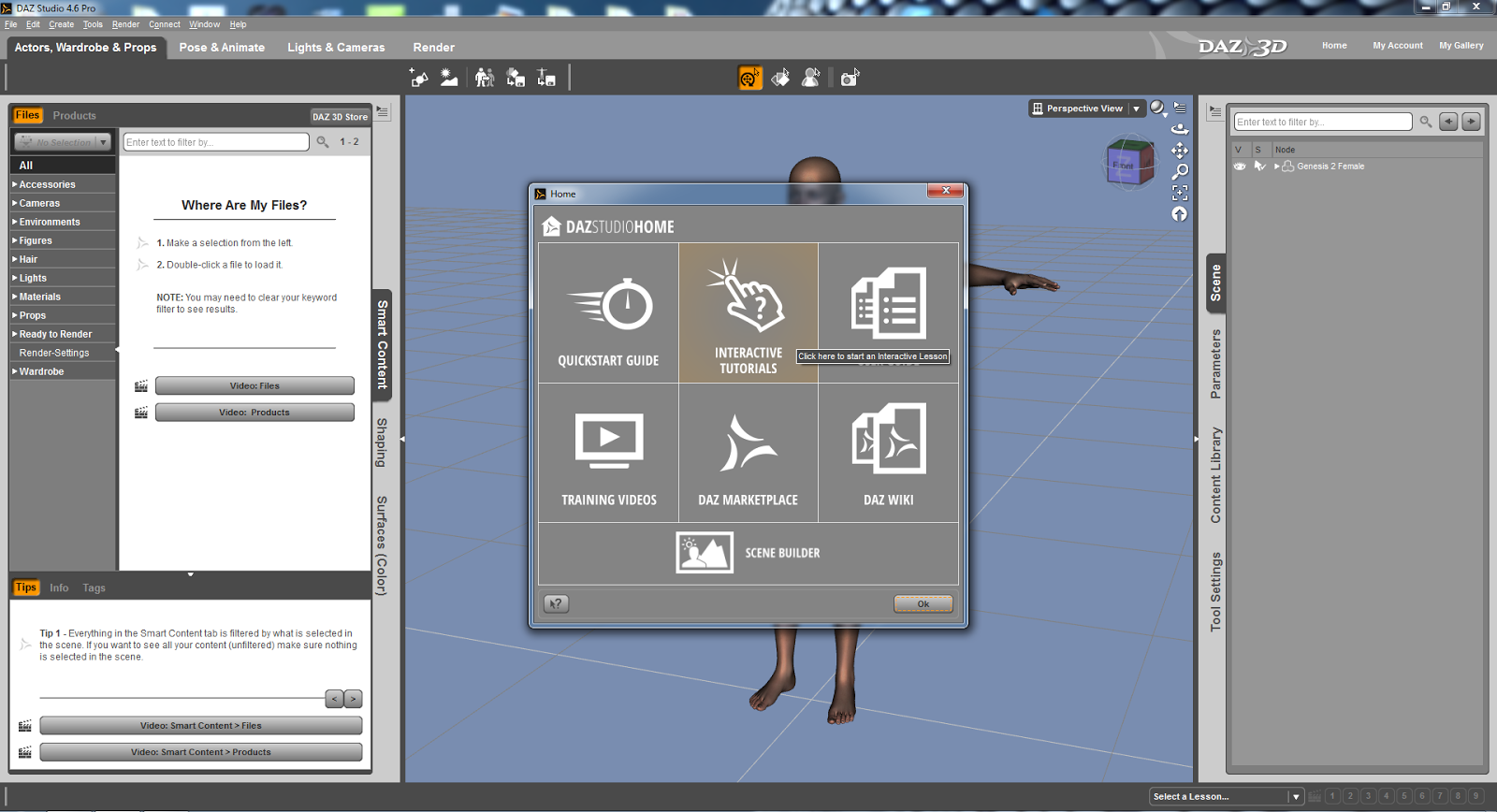
When the program is launched there is an option to start with tutorial material.

Having looked – albeit briefly – at other tutorials I can see that they are just as easy to follow! I feel very, very confident that I will be able to get to grips with DAZ Studio Pro 4.6 very quickly!


CONTENT

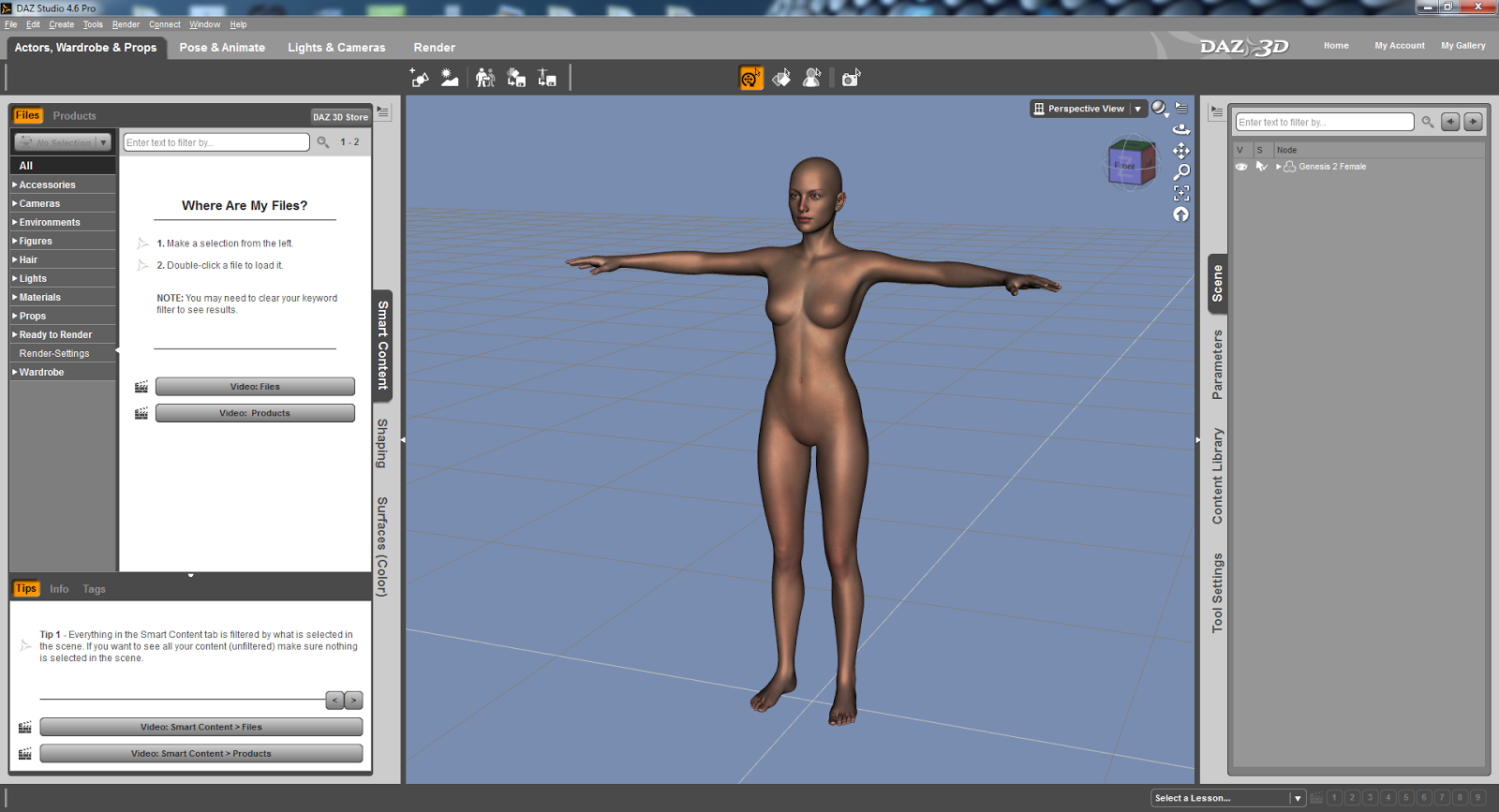
Again, in comparison to Poser Pro 2014, there are a lot of content to get you going with DAZ Studio Pro. What I have noticed is that the model, Genesis 2, looks pretty much of a high quality compared to Poser Pro 2014. With Poser Pro it is the rendering that determines the quality. But the model appears to be already rendered in a high quality within the pre-rendered interface.

Another thing to take into consideration is that the models are not anatomically correct. This may prove to be a crucial factor for natural artists. I can understand DAZ’s decision to not include such materials as I would imagine that minors are able to download this software for free but it’s what we are born with and in this day and age there shouldn’t be a fuss about genitalia. If anything there should be an option to have more detailed models through an age verification system that requires a credit card. I do believe that it is possible to use anatomically correct textures via third party developers if this is of an importance to you. However, the range of detailed textures via the DAZ 3D site is astounding!

Oh, if you happen to have Reallusion’s iClone 5 you can import DAZ Studio 4.6 models and animate them! WOW! Watch out for my coverage of iClone 6 – it promises to be a mega update! I can hardly wait! From what I have heard and what I know about Reallusion you will NOT be disappointed!


GENERATE SCENES

There are some scenes included and DAZ Studio Pro 4.6 has come scene generating capabilities too! And once again you download so many scenes to suit – for a small fee! You can get some free content too.

What I appreciate about DSPro 4.6 is that it is pretty fast with fairly complex 3D backgrounds / scenes.

ANIMATION
There are some predefined animations that can be dropped onto the actor and it is that simple – very much the same as Poser Pro 2014, iClone 5 and CrazyTalk Animator 2.

You can also purchase animations through the online DAZ 3D store.

RENDERED EVEN MORE SPEECHLESS
I have to say that I was very, very impressed with DAZ Studio Pro 4.6! The models looks great, the scenes are awesome and there is so much more to the software that I could write a lot more but time eludes me as always!

DAZ Studio Pro 4.6 is fast – so much so that it feels like I am working in a photo editing / manipulation program! There again you will need a decent system to get the most out of it – something like a game or video editing rig!

CONCLUSION

Yes, DAZ Studio Pro 4.6 is a great 3D animation / graphic software that is compatible with Poser Pro 2014 and iClone. What’s more amazing is that it is FREE!!!!

The interface is perfect for the beginner! What are you waiting for? Go get it!

SCORE: DOUBLE PLATINUM

STOP THE PRESS!!!!

WIN! WIN! WIN!

Win a copy of CrazyTalk Animator 2!

We have 5 CrazyTalk Animator 2 PRO copies for the top prize!
And we have 5 CrazyTalk Animator 2 Standard copies for five runner ups!

Wanna enter? Great! Just answer the following questions:

A. Name 3 characters in the animated series Futurama. Can you?

B. Can you name the software house behind CrazyTalk, iClone and FaceFilter?

C. Can you name the voice actor behind SpongeBob SquarePants?

Do you know the answers? Great! Send them to: competition @ synapse.circuit.gmail.com

Rules:

Winner is chosen at random.
One entry per person.
Your information will not be shared with any other party or parties.

Competition closes: 30 June 2014
Winner announced: 7 July 2014

You have enough time to find out the answers!

THANKS FOR READING...
Please check out the Synapse Circuit site here: Synapse Circuit.com

Yes, I am well aware that the site is due an update soon! It’s coming...

Synapse Circuit for tech news, opinions, articles, reviews and competitions. You will find interactive PDF magazines, videos and links to free legal software! Check it out at Synapse Circuit dot com