Showing posts with label Graphic Design. Show all posts

Wednesday, 18 January 2017

SERIF, TO AFFINITY AND BEYOND SYNAPSE CIRCUIT

SYNAPSE CIRCUIT 

SERIF

AFFINITY 


Goodhour, Synapse Circuit Readers! 

TO AFFINITY AND BEYOND 

#Serif #Affinity #AffinityDesigner #AffinityPhoto #AffinityPublisher

A MASTERSTROKE


London, UK, January 18, 2017,
 It took ages for my Serif Affinity Designer Workbook to arrive and when it did I was very, very impressed! As a Graphic & Multimedia Designer by trade, I've felt a little guilt that I didn't master Adobe Illustrator, so when Serif announced the release of the Affinity Designer application I promised myself that I would give Digital Illustration a good go!

I had used the brilliant DrawPlus for simple logo creation, and I mean simple! Affinity Designer meant a new start with a new software concept. In a masterstroke move, Serif initially released Affinity Designer for the MAC to critical acclaim. Still, to this day, the MAC computing platform maintains its reputation in amongst the Graphic Design Industry and it was vital for Serif to garner a long overdue recognition for its professional alternatives to some Adobe software applications: PagePlus - we'll come to that in a bit; DrawPlus, and PhotoPlus. As a result, Serif has reinvented itself as Affinity! As stated earlier, the first Affinity product was Designer. Unlike Adobe Illustrator one was able to purchase it outright without breaking the bank; Affinity Designer retails at an amazing £39.99! £39.99, not monthly or annually. No. A one time only fee! Awesome! When Affinity Designer came out last year on the PC I bought it straight away - especially as it was sold for an introductory discounted price of £29.99!

And, just before Xmas, Serif released Affinity Photo for the PC at a discounted price also! I had to get Affinity Photo too!


Above: Affinity Photo

GREATNESS

MAC users have been saying that Affinity Photo & Designer are PhotoShop and Illustrator killers, while this may be true for MAC users, the truth is that PhotoPlus and DrawPlus on the PC had slain PhotoShop & Illustrator many years ago! I have been using PhotoPlus and DrawPlus instead of the Adobe equivalents for the last 3 or so years! Adobe tried to make a comeback with PhotoShop Elements but Serif's PhotoPlus was more advanced in that it could output documents in the professional CMYK format. This has always been Serif's legacy - professional output. I have brought documents created with Serif products to print bureaus and always had great results!
Above: Affinity Illustrator

Serif is currently working on Affinity Publisher and a beta should be released soon. Now about Affinity Publisher...

PagePlus was, and still is, a great desktop publishing application but it was always lacking in the Digital Publishing steaks. For example, the video and audio players within a PagePlus produced PDF document looked terrible. Trying to do something that matches Adobe or Quark in Digital Publishing was an exercise in futility, sad to state. Before Adobe Flash got shot down in flames one could export InDesign documents as an interactive Flash medium.

It could very well be that Affinity Publisher will address Digital Publishing; the possibilities are vast! I envisage that Affinity Publisher could create executable HTML5 documents in the way in which a PowerPoint presentation could be launched from its native executable file; HTML5 is cross-platform compatible and therefore should present no problems in creating executables for MAC, iOS, Windows, and Android to name a few.

Can you imagine HTML5 documents that includes aspects like animations, page transitions, audio and video and much more besides? I can! Whether Serif delivers on it remains to be seen.

I am also hoping for PDF documents that include a great looking media player. The PDF slide player could be overhauled too! I don't know how hard it'll be for Serif to take PDF to higher heights as PDF is an Adobe technology. Would it be worth Serif's while to develop PDF? Would it be a good idea for Serif to create yet another media format? Other software houses have tried to create a media format only to crash and burn. Does anyone remember Scala? Scala was a dream turned into a nightmare. I bought one of its applications many, many moons ago... It was a multimedia product, like PowerPoint on steroids but there were so many bugs in it that it was never used. It had some great ideas for all its faults, though! It was a precursor to YouTube with Scala channels. These days, Scala is about kiosk displays. Ah, it was MM200 and it was a huge disappointment. Never mind...

Now that Serif Affinity is hot news it has a shot at creating a proprietary medium that can span different screens and operating system platforms. Serif Affinity has come back for the future and could be the creator of a medium that Flash so very much wanted to be when Steve Jobs shut it down.

WEBBED 

Sticking with Affinity Publisher, I had it in mind that Serif would incorporate the ability to output to web pages into it. The word is that Affinity Publisher will not have any web publishing attributes whatsoever! What??? That's crazy, right? This makes me wonder... It also looks like there will be no Affinity Web Designer either! If this is true then it is incredibly sad! Serif produced on of the best WYSIWYG applications ever in WebPlus! It would be a great shame if WebPlus and PagePlus couldn't merge into Affinity Publisher. That stated, Serif is enjoying a monumental high in its achievements that could encourage them to do something very, very special for Web Design, Digital Publishing, and traditional Paper Publishing!

2017, is going to a very exciting year for both Serif and its consumers. One other thing that I would like to ask of Serif for Affinity Publisher is the ability to create TrueType Fonts! There has to be a font designer onboard! I have always wanted to design fonts and it remains on my 'To Do' list!

In any event, WebPlus version X9 has been taken off the virtual shelf. You can't purchase it anymore! That is so, so very sad...

If my hunch is right then I think Affinity Publisher will have an option for web page design. Fingers crossed!

MOVIES
Serif has a legacy application for the editing and making of videos... Yes, you've guessed it, MoviePlus. And it looks like there will not be an Affinity version for the foreseeable future. This is a great shame!

For now, it looks like Serif is just concentrating on professional photo editing/manipulation and graphic design applications. Just imagine how brilliant a video editor could be? Imagine Affinity Movies that is what Affinity Photo is to videos... WOW!

UNDERSTANDABLE
I can understand where Serif is coming from in that the focus is revolutionary based professional photo and illustration applications but I can see that there is already a demand for an Affinity Web Design & Video Editing applications. I would imagine that the runaway successes, Affinity Photo, and Designer could mean that the web and video solutions are in development already! Who knows?

If I know Serif like I think I do, they'd want to have the equivalent for just about everything Adobe does. I think they will do it too - eventually!

Thank you for reading!

The Synapse Circuit website is in the making...

Best wishes,

Synapse Circuit aka Blue Gene

Tuesday, 19 April 2016

SYNAPSE CIRCUIT RELAUNCHING SOON

SYNAPSE CIRCUIT 
RELAUNCHING SOON... 
NEWS

Goodhour, Synapse Circuit Readers!

It is so wonderful to see you all again after what seems like ages! What can I tell you? Stuff happens and has kept me from doing what I love doing which is write about Tech!

I just want to thank for continuing to read my articles in my absence! THANK YOU!

Whilst I have been away I have had time to rethink! Synapse Circuit will come back stronger!

Watch this space... The official website is being redesigned! I, Blue Gene, Synapse Circuit relaunch very soon!

All the best to you!

Blue Gene / Synapse Circuit

Friday, 30 May 2014

SYNAPSE CIRCUIT DAZ 3D DAZ STUDIO PRO 4.6

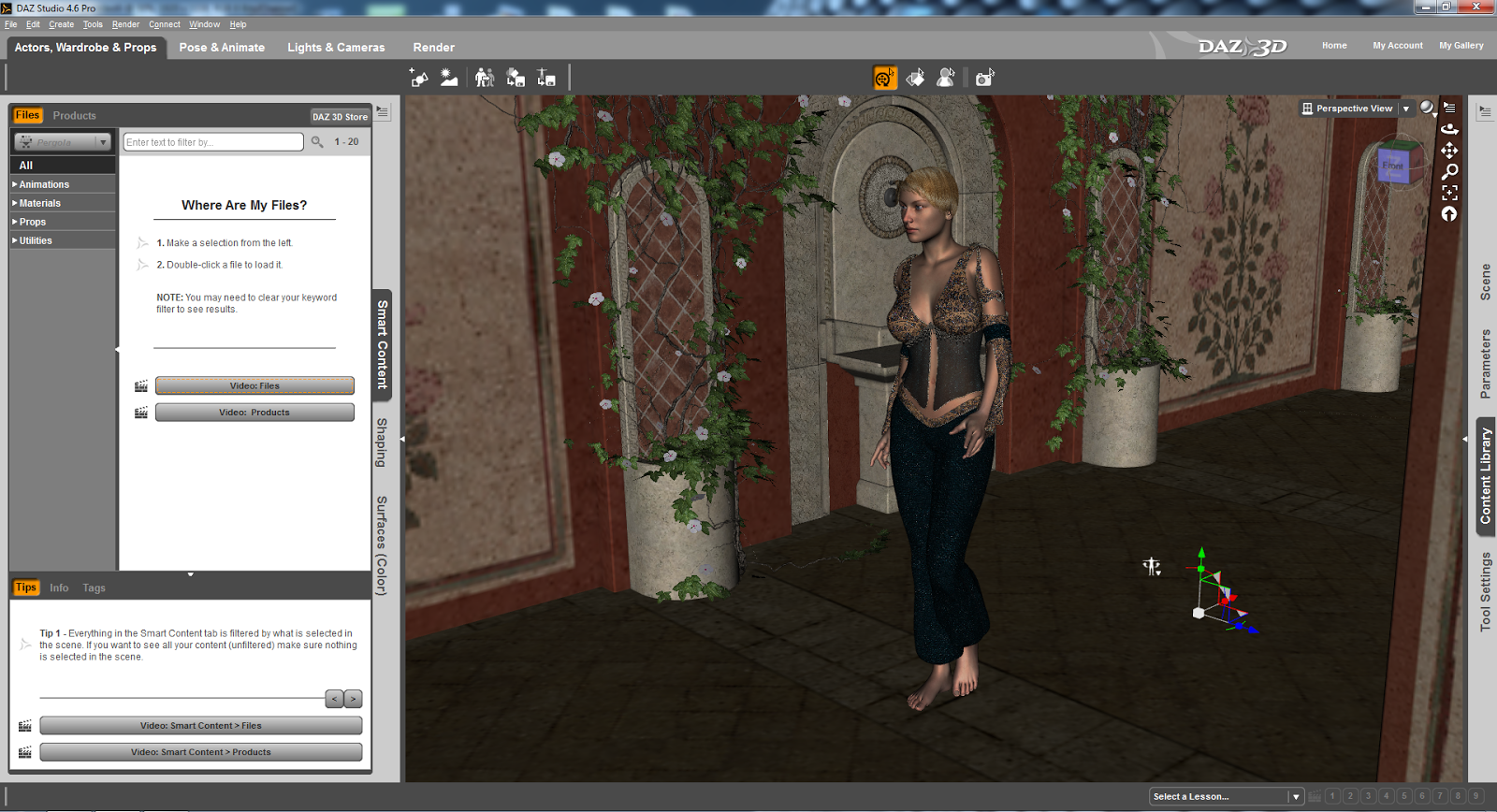
Above: Here's something I did in minutes!
Above: Here's the DAZ Studio Pro rendering process. Amazing, huh?
SYNAPSE CIRCUIT
ANIMATION SPECIAL PART THREE: DAZ 3D DAZ STUDIO PRO 4.6
32 & 64-bit

PRICE: FREE

#DAZ3D #DAZStudioPro4point6 #FreeSoftware #3DAnimation #3DGraphics

Good evening, Synapse Circuit Readers. How’s it going? I hope that you are well and that you are on the up and up! Positive thinking equals positive actions!

Seemingly random health tip: Check your blood for vitamin D deficiency!

Yes, the Synapse Circuit Animation Special is taking flight! A few days ago I had the pleasure of reviewing the fantastic Poser Pro 2014 by Smith Micro and before that I reviewed the amazing CrazyTalk Animatior 2 Pipeline software. Now I am bringing you a review of DAZ Studio Pro 4.6 from DAZ 3D! What’s more is that it’s free! YAY!!

INTRODUCTION
DAZ stands for Digital Art Zone – it took me how long before I learned that??? Lol! Well, now you know if you didn’t before! It’s bizarre... Many, many Moons ago I got an earlier version of the software on a magazine cover; I tried it and I did not like it. Again, I can be quite impatient with software – if I can’t understand it within an hour of constant use then I give up! How wrong was I? VERY!

Another problem I had and still have with DAZ Studio Pro is that it is fussy when it comes to graphic cards. Fortunately I have another system to use that features a better graphics card! Let the review commence! 


THE DAZ STUDIO PRO 4.6 INTERFACE
I appreciate the DAZ Studio environment a lot! I find it modern, easy going on the eye and very well executed. If you are a beginner you will appreciate the great tutorial material available that allows you to make the most of the program. And like the Poser Pro interface you can drag palettes to suit. Oh, I should tell you that DAZ Studio Pro 4.6 is very similar to Poser Pro 2014 but I have to say that I do prefer the DAZ Studio Pro 4.6 interface. It is perfect for beginners whereas Poser Pro 2014 appears to be aimed at intermediate to advanced artists – this is not to say that a beginner can’t get to learn it but because DAZ Studio Pro 4.6 is free it makes it easier for the beginner to explore. The main part of the interface is compartmentalized for convenience and expedience. 

Again, still waxing on the similarities with Poser Pro 2014, DAZ Studio Pro 4.6 operates by encouraging users to purchase models, props, scenes, textures, etc through its interface. By the looks of things I would recommend that you opt to make a subscription:

The Platinum Club

$24 – for 3 months.
$70 – gets you an annual subscription.

The advantage of the Platinum Club is that you can get great discounts on additional materials. It is a great system; it looks very, very inexpensive indeed.

Going back to the interface... I found it to be very intuitive even though it can get quite complex.


TUTORIALS

There is a great tutorial to get one started whereby you recreate a still graphic called ‘Fiery Genesis’ which was remarkably easy to achieve.

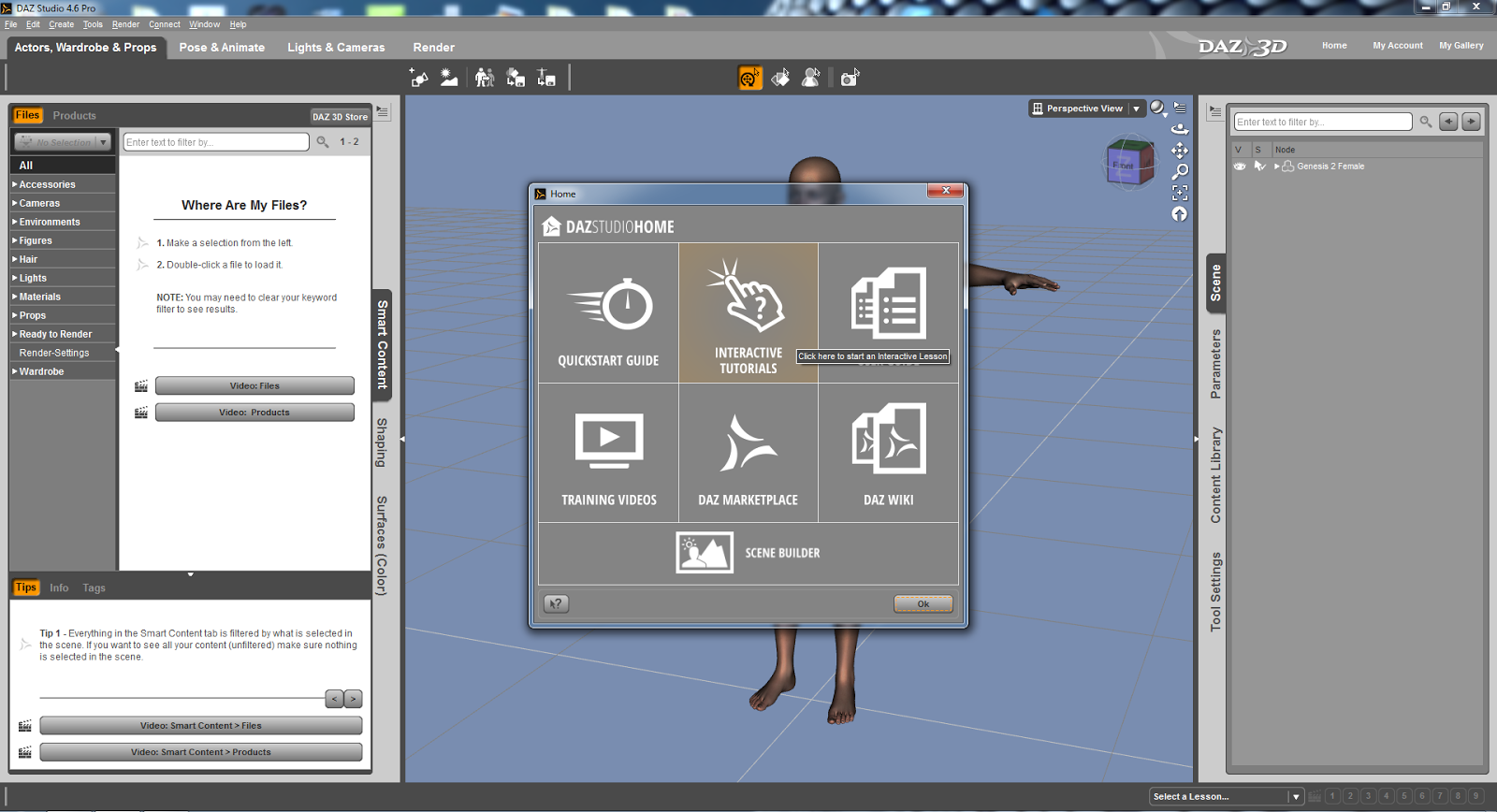
When the program is launched there is an option to start with tutorial material.

Having looked – albeit briefly – at other tutorials I can see that they are just as easy to follow! I feel very, very confident that I will be able to get to grips with DAZ Studio Pro 4.6 very quickly!


CONTENT

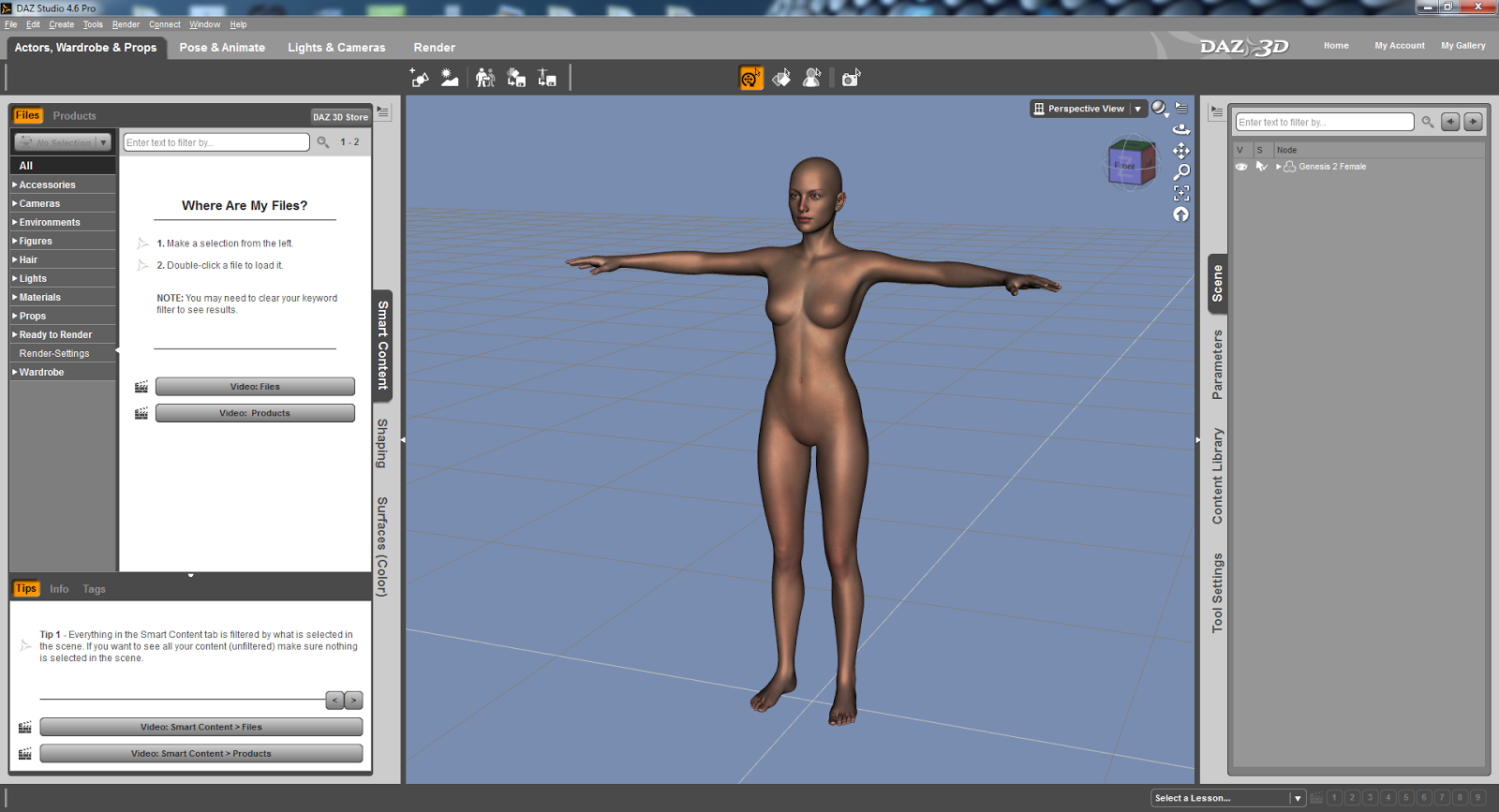
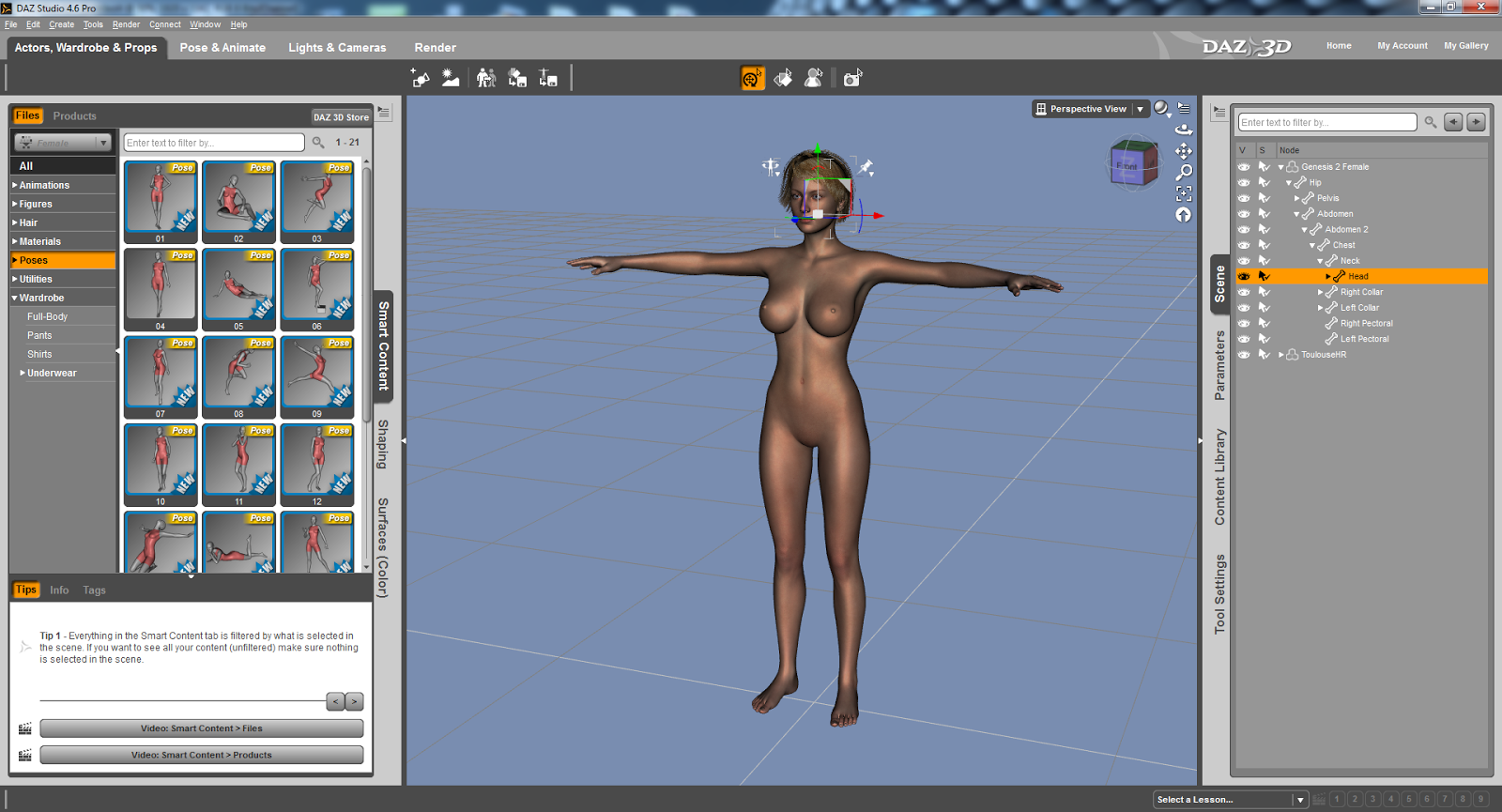
Again, in comparison to Poser Pro 2014, there are a lot of content to get you going with DAZ Studio Pro. What I have noticed is that the model, Genesis 2, looks pretty much of a high quality compared to Poser Pro 2014. With Poser Pro it is the rendering that determines the quality. But the model appears to be already rendered in a high quality within the pre-rendered interface.

Another thing to take into consideration is that the models are not anatomically correct. This may prove to be a crucial factor for natural artists. I can understand DAZ’s decision to not include such materials as I would imagine that minors are able to download this software for free but it’s what we are born with and in this day and age there shouldn’t be a fuss about genitalia. If anything there should be an option to have more detailed models through an age verification system that requires a credit card. I do believe that it is possible to use anatomically correct textures via third party developers if this is of an importance to you. However, the range of detailed textures via the DAZ 3D site is astounding!

Oh, if you happen to have Reallusion’s iClone 5 you can import DAZ Studio 4.6 models and animate them! WOW! Watch out for my coverage of iClone 6 – it promises to be a mega update! I can hardly wait! From what I have heard and what I know about Reallusion you will NOT be disappointed!


GENERATE SCENES

There are some scenes included and DAZ Studio Pro 4.6 has come scene generating capabilities too! And once again you download so many scenes to suit – for a small fee! You can get some free content too.

What I appreciate about DSPro 4.6 is that it is pretty fast with fairly complex 3D backgrounds / scenes.

ANIMATION
There are some predefined animations that can be dropped onto the actor and it is that simple – very much the same as Poser Pro 2014, iClone 5 and CrazyTalk Animator 2.

You can also purchase animations through the online DAZ 3D store.

RENDERED EVEN MORE SPEECHLESS
I have to say that I was very, very impressed with DAZ Studio Pro 4.6! The models looks great, the scenes are awesome and there is so much more to the software that I could write a lot more but time eludes me as always!

DAZ Studio Pro 4.6 is fast – so much so that it feels like I am working in a photo editing / manipulation program! There again you will need a decent system to get the most out of it – something like a game or video editing rig!

CONCLUSION

Yes, DAZ Studio Pro 4.6 is a great 3D animation / graphic software that is compatible with Poser Pro 2014 and iClone. What’s more amazing is that it is FREE!!!!

The interface is perfect for the beginner! What are you waiting for? Go get it!

SCORE: DOUBLE PLATINUM

STOP THE PRESS!!!!

WIN! WIN! WIN!

Win a copy of CrazyTalk Animator 2!

We have 5 CrazyTalk Animator 2 PRO copies for the top prize!
And we have 5 CrazyTalk Animator 2 Standard copies for five runner ups!

Wanna enter? Great! Just answer the following questions:

A. Name 3 characters in the animated series Futurama. Can you?

B. Can you name the software house behind CrazyTalk, iClone and FaceFilter?

C. Can you name the voice actor behind SpongeBob SquarePants?

Do you know the answers? Great! Send them to: competition @ synapse.circuit.gmail.com

Rules:

Winner is chosen at random.
One entry per person.
Your information will not be shared with any other party or parties.

Competition closes: 30 June 2014
Winner announced: 7 July 2014

You have enough time to find out the answers!

THANKS FOR READING...
Please check out the Synapse Circuit site here: Synapse Circuit.com

Yes, I am well aware that the site is due an update soon! It’s coming...

Synapse Circuit for tech news, opinions, articles, reviews and competitions. You will find interactive PDF magazines, videos and links to free legal software! Check it out at Synapse Circuit dot com

Thursday, 29 May 2014

SYNAPSE CIRCUIT SMITH MICRO SALE

SYNAPSE CIRCUIT
SMITH MICRO SUPER–BUNDLE SUPER-SALE!!!!

Good evening, Synapse Circuit Readers. It’s good to see you as always! Keep those competition entries coming!

#SmithMicro #PoserDebut #AnimeStudioDebut10 #ClipStudioPaintPRO

BE THE DIGITAL ARTIST YOU WERE MEANT TO BE!
Here’s your chance to get all the software tools you’ve been curious about for a special price. Make an interactive comic, render a 3D figure, create a short cartoon or draw a manga character. What Will You Create?™


POSER DEBUT
Finally there's an easy, fun way to learn 3D and be creative, even if you can't draw or have never taken an art class. Poser Debut is a 3D playground. Create scenes, add 3D characters, pose them, animate them and make cool images or videos.


ANIME STUDIO DEBUT 10

Bring your imagination to life! Anime Studio is your complete animation program for creating 2D movies, cartoons, anime and cut out animations. Create your own desktop animated shorts or produce animations for film, video, commercials or streaming over the web.


CLIP STUDIO PAINT PRO
Also known as Manga Studio 5, CLIP STUDIO PAINT PRO is the ultimate software tool for comic and manga creation. Whether you want to simply enhance and perfect your pen-and-paper illustrations or experience a completely digital creative process.


MOTIONARTIST
Transform your vision into interactive digital stories with state-of-the-art animatics! Create interactive and professional-quality videos, animations, web graphics and business presentations through the power of HTML5.

READ THE SYNAPSE CIRCUIT POSER PRO REVIEW HERE: 

Poser Pro 2014 Review


THANKS FOR READING...

Please check out the Synapse Circuit site here: Synapse Circuit.com

Yes, I am well aware that the site is due an update soon! It’s coming...

Synapse Circuit for tech news, opinions, articles, reviews and competitions. You will find interactive PDF magazines, videos and links to free legal software! Check it out at Synapse Circuit dot com

Thursday, 3 April 2014

SYNAPSE CIRCUIT MAGIX XARA PHOTO & GRAPHIC DESIGNER 9

SYNAPSE CIRCUIT
MAGIX XARA PHOTO & GRAPHIC DESIGNER 9
#MAGIX, #XARA #Photo&GraphicDesigner9

Good late evening, Synapse Circuit Readers! I hope that all is well with you! I wish I could say the same... I do apologize for the recent lapse in articles / reviews due to personal issues. But I am happy to say that things are looking up!

Here’s some great news for photo editors and graphic designers!

BE A DESIGNER WITH MAGIX
Xara Photo & Graphic Designer 9 - Ideal Software for all Photo Editing, Illustration and Graphic Design Needs!

Xara Photo & Graphic Designer v9 is the perfect software choice for all your photo and graphic design work, with powerful photo editing and enhancement features, and truly flexible illustration and design tools.

Main New Features Include:

Advanced Healing Brush – remove blemishes with a single click, or brush over an area to erase it.

New Mask and Selection tools. Easily paint, or draw a region or area to enhance, such as adjust the brightness, sharpness, colour temperature etc.

Advanced background erase. Extract complex shapes such a people or objects in the foreground, and place them on alternate backgrounds.

Drag and drop re-colouring of clipart and vector groups.

Google Font support. Browse, preview and install any of the 600+ Google Fonts. Although Google Fonts were primarily designed to be web fonts, they are open source Truetype or OpenType fonts and Xara has built in a way to automatically download and install the font as a Windows font.

11 new Photo Effects including Fake HDR, Polarized Grayscale and Colour Splash to highlight a colour.

New clipart including a wide range of ‘company logo’ designs.

Most of Xara's photo editing tools are non-destructive. Also known as 'parametric image editing', this non-destructive technique allows you to adjust or even remove edits at any point in the future, without affecting the original image. Photo edits are stored as the parameters to be changed (such as brightness or blend levels) rather than the altered pixels. This is much faster, more powerful, more memory efficient, and allows near infinite Undo.

Xara Photo and Graphic Designer introduces some really advanced photo editing features. An automatic background erase that normally takes hours of careful manual masking (or would be impossible), can be done in seconds. The Healing Brush is built on what Xara believe to be the most advanced intelligent 'fill in' algorithms anywhere. The new Mask and Selection tools make it easier than ever to apply edits to specific areas, and to have those edits seamlessly blended into your photo.

Charles Moir, Managing Director of Xara said: "As the name suggests 'Photo & Graphic Designer' is more than just another photo editor. It's one of the most advanced and powerful vector graphics programs available, and seamlessly combines all the photo editing features you're likely to need. Why should you have to use one program for general vector 'artwork' style graphics and another for photo editing, when you can get one, really fast, really easy-to-use graphics program that does it all? It's simply the most advanced photo and graphics editing tool available, for the money."

Price & Availability:

Xara Photo & Graphic Designer 9 is available £69.99 (inc VAT)
It operates on Windows XP/Vista/7/8 /8.1
For more information please see - xara.com

About Xara Group Ltd:
Xara, founded in 1981, was one of the oldest independent software developers in the UK, until it was acquired by Magix AG in 2007. Xara continues to develop innovative graphics, website building, and document publishing tools, which are marketed around the world under both the MAGIX and Xara brand names.

About MAGIX AG:
MAGIX is a leading international provider of high-quality software, online services and digital contents for multimedia communications. Since 1993, MAGIX has been developing leading technologies for creation, editing, management and presentation of photos and graphics, videos and music. Internationally, MAGIX operates from branches in the USA, Canada, the UK, Germany, France, Italy, Spain and the Netherlands. The product range is targeted towards laymen and professionals alike and goes beyond the PC range to include seamlessly integrated online and mobile applications.


According to its retail sales figures, MAGIX leads in the multimedia software sector in the most important European markets, and is one of the most successful competitors in the USA. Fifteen years of market presence as well as one thousand awards worldwide testify to the company's power of innovation.

Review and competition coming soon...

Take good care!


Thank you for watching and reading!

Please check out the Synapse Circuit website for video, i-PDF and more! 

Synapse Circuit Dot Com

Tuesday, 11 March 2014

SYNAPSE CIRCUIT PRO WEB DESIGN WITH INCOMEDIA

SYNAPSE CIRCUIT
PRO WEB DESIGN WITH INCOMEDIA
#Incomedia #Professional10Edition #WebSiteX5 #CeBIT

Good evening, Synapse Circuit Readers! I hope that all is well with you and yours! I am so very, very happy that the weather is so much calmer and warm! I hope the weather is being kind to you where you are!

If you have been following my articles on Web Design I have some potentially great news for you! Here’s a new product from Incomedia, WebSite X5 Professional 10! Read on! 

INCOMEDIA to showcase the Professional 10 Edition of WebSite X5® for the first time at CeBIT.

Incomedia will attend CeBIT 2014 in Hannover for the ninth time running, offering the audience an exclusive preview of the Professional Edition of its flagship product WebSite X5®.
Ivrea (Italy), 11th March 2014 - After a successful launch year with four new editions of the award-winning web site editor WebSite X5®, the Italian company will present their new product at the CeBIT exhibition, in Hall 9 - Stand A24. This is the first time that a Professional Edition has been included in the WebSite X5® collection. Incomedia WebSite X5 Professional is the most complete and versatile utility for creating web sites, blogs and online stores designed for web experts.

WebSite X5® Professional 10 is the only software that lets professionals create a site complete with a Mobile App without having to develop the App. This App called “FeedReady” is available now. Simply anchor it to your project and invite users to download it to stay abreast of the news published on the site. With the ability to send Push notifications, the App is also an effective system for actively promoting any news or activities. WebSite X5® Professional 10   is published in 14 languages and is available internationally for less than 200 Euros.

Federico Ranfagni, CEO of Incomedia S.r.l. says: "CeBIT 2014 will be once again an important opportunity for us to present our new WebSite X5® Professional 10. Visitors will be able to see demonstrations of the superior multimedia experience offered by WebSite X5® Professional 10 and its new Mobile App. CeBIT gives us the chance to meet face-to-face with most of our global partners in one location; and it is the ideal opportunity to seed new B2B deals. We are very pleased to participate again at the most important international ICT trade in Europe and are confident that CeBIT 2014 will bring great results."

WebSite X5® Professional 10 is the first web editor with a free stand-alone application that can be used immediately in your own website. The FeedReady Mobile App is a free feed reader for reading, displaying, distributing RSS feeds and blog posts. It is free of charge on the App Store™ or on Google Play™. WebSite X5® Professional 10 is the only website utility software that allows a quick and easy use of their Mobile App, maintaining their customers are always up to date.

More information about WebSite X5® Professional 10: www.websitex5.com/professional
More information about the FeedReady Mobile App: http://www.feedready.com/en/index.html

Price & Availability:
Incomedia WebSite X5® Professional 10 is now available at 199 €/£ 169/$ 259 from http://www.websitex5.com/en/store.html


About Incomedia:
Incomedia, founded in 1998, is a leading independent developer and publisher of multimedia software for the PC. Incomedia’s flagship product WebSite X5®, currently sold in over 40 countries through a well-established network of International distributors, resellers and retailers, was developed with the aim of bringing high-end website creation software at affordable prices to home, business and education users. The software is designed specifically for users who want to publish high-quality websites and online shops, with a professional look and feel in just 5 simple steps.

What do you reckon?

Here’s my first impression of the software...
If the Professional 10 Edition is anything like the WebSite X5 Evolut10n I reviewed last year then WYSIWYG web design is going to be elevated up several notches! The ability to make simple apps is intriguing; it’s probably an HTML5 wrapper. What I am envisioning is HTML5 based apps with the *.ipa and *.apk extensions. I hope to find out soon!
Review coming very soon.... Stay tuned...

Take good care!


Thank you for watching and reading!

Please check out the Synapse Circuit website for video, i-PDF and more! 

Synapse Circuit Dot Com

Thursday, 20 February 2014

SYNAPSE CIRCUIT WEB DESIGN THREE DESIGN


SYNAPSE CIRCUIT
WEB DESIGN TODAY
DESIGN! PART THREE.

#WebDesign #eCommerce #SmallBusiness #Design #Graphics #GraphicDesign

Good evening, Synapse Circuit Readers! How are you tonight? I hope that all is well with you and that the weather is being kinder! It was a glorious sunny day! I hope it was a nice day for you too! Thank you for your positive responses to this series of articles on web design.

I have understood that there are many things stopping a lot of non-web design folk from getting involved in the business of designing their own websites:

1. Technical ability. Many folk believe that they must possess some technical ability. While other folk fool themselves into thinking that they will never understand the ins and outs of it.

2. Design ability or lack of it.

Okay... I am going to do my best to ease your mind...

CAN YOU USE A WORD PROCESSOR?

If you can use a word processor such as Microsoft’s Word for Windows then you can definitely use any WYSIWYG web design program. Such software keeps you away from having to enter HTML code (it’s not a programming language) on a blank Notepad (the default note making program with Windows) which is then saved as an HTML file. My argument against writing all that code is, “What if you had to code a simple letter? Do you know how long that could take?” Sure, if you learn the code well enough you’d be able write it blindfolded. But that’s not the point. The point is HTML is a very simple language that, for all intents and purposes, describes the layout of a web page. That’s just HTML! Another code used within HTML is CSS – cascading style sheets. CSS goes deeper into describing the look of the web page in finer detail i.e. how fonts appear, more precise details to a web page background, colours and so on. CSS can be a pain to code!

So, this is why I will always advocate a WYSIWYG web design program.

WHAT IF ALL THE COMPUTERS CRASHED?
Yes, this is an argument that a web design teacher put forward to a class that I took to refresh my skills. He continued, “How would you code your website?” My response was, “If all the computers around the world crashed then it wouldn’t matter if I knew code or not.” It’s true!

This is not to say that you shouldn’t learn some aspects of coding HTML. Again, HTML is NOT difficult but laborious. I would recommend that you take the time to learn the basics because it will allow you to place some elements into a WYSIWYG web design program that is not included as part of the program. Knowing the basics of HTML will allow you to insert your own code in such WYSIWYG programs should you need to! But DO NOT worry about that at this stage!

Now let’s talk “design”!

DESIGN, A DIRTY WORD?

That word... “Design” it conjures all manner of thoughts and feelings. You are probably wondering what “design” means to me. I will tell you... But first...

Can you imagine that I thought the way forward in the business of New Media was CD ROM programming? Yes, I did! Lol! This was before I was exposed to HTML and website design. What I appreciate about the CD ROM is that you have a whole program of a particular agenda encapsulated within a CD ROM program; once you insert the CD ROM in the PC you’re sort of locked into the program until you exit! Whereas with the Internet you may feel the urge to surf other sites – that’s what I do! Anyhoo! I digress...

With no prior knowledge of Photoshop or even having owned PC I did a 13 week course in Multimedia. Previously, I was the proud owner of an Amiga A4000 computer and through some paint programs that came with the Amiga I was used to the concept of using a mouse to draw / paint (very basically) using the mouse. So, using Photoshop for the first time wasn’t a totally daunting experience that it could have been!

I knew about two weeks in advance that I was going to do the Multimedia course and I started to buy design magazines and made notes. I also started collecting CD ROMs and I paid more attention to any kind of graphical design be it advertising, magazines, TV, film, etc. You probably can tell that I lean towards a Sci-Fi-Tech design. It’s what I am drawn to! Anyway, the point I am getting at is that if you have an eye for any particular design then you can reproduce it! You will probably crawl before you can walk!

As you should know – if you have been reading this series of articles on web design – that after the 13 week course I went to Holland, Amsterdam and found work as a graphic web designer. I was good enough with Photoshop. I guess it helped that I did Art in school and college; I had a pretty good idea what I wanted and how to get there!

I think back to how websites used to look and in some way I miss those days when sites used to look very individual – even if they were bad! When I got myself Dreamweaver and bought web design magazines I became aware of a particular designer giving his opinions on what websites should look like. One of his comments made me laugh, “A lot of websites look like Sunday school flyers...” or words to that effect! Lol! But I think that designer is responsible for the corporate look on just about every site whether it is corporate or not. I hate it! I would rather see someone / organization expressing themselves through their speciality. Blow all that corporate rigidity nonsense!

HERE’S WHAT I SAY ABOUT DESIGN
Yes, there are a set of rules that you need to adhere too when it comes to your website.

1. The text on your site must be easy to read. If the recipient is straining to read the text it’s a failure.

2. It should be easy for users to navigate your site. If users struggle to get from one page to the next and back then it’s a failure.

3. Use of colour needs to be really considered. Garish colours could repulse. There again, it depends on your medium i.e. a music site may be suited to outlandish designs. You have to bear in mind what your intended audience will gravitate to.

Again, there’s nothing wrong with using templates and altering them to suit by changing the colours, graphics, etc. At the same time I would encourage you to have a go at filling in a blank page; you should have an idea of what you want because you have looked at similar sites. And you will do well to get a hold of some graphic, photo editing / manipulation software. I am going to, again, recommend two programs for their ease of use:-

Serif PhotoPlus X6 – It’s, in my opinion, better than Photoshop when you compare costs and what the software can do!

Serif DrawPlus X6 – This is a great illustration program that you can get into more or less straightaway – if you are an absolute beginner! One of the most striking things you can add to your media i.e. website, business card, etc is a logo and you will LOVE the Logo Studio!

You should do well with the aforementioned software. In fact, you can download free versions of the software and see how you get on! They all have great tutorials that you can follow! Be confident! You CAN do it!

By all means try different software! Even if you choose to go by the way of Blogger, Word Press, YouTube, Wix, etc you will need to use your own graphics to stand out!

THAT’S IT!
Design is a very personal thing! You won’t know what you can do unless you have a go! It is EASY! I would say that if you can use a smartphone then you can definitely get to manipulate any software!

To be honest, I was not a very good freelance web / graphic designer because I am not very patient with people. What people think of as “good” design leaves me wondering about their sanity! I just couldn’t do what was required of me because I felt it was bad and not something that I could add to my portfolio! However, I gave up being a freelance web / graphic designer because so many people are opting to do it themselves and so should YOU!!!!

If I get the time I may do an article on design. But after the Samsung Galaxy S5 launch and the Mobile World Congress 2014 I will bring you the Serif WebPlus X7 review!

Here’s part one of this series...
http://synapse-circuit.blogspot.co.uk/2014/02/synapse-circuit-web-design-today-how-to.html

Here’s part two of this series...
http://synapse-circuit.blogspot.co.uk/2014/02/synapse-circuit-web-design-today-2.html

Take a look at these interactive PDF magazines to learn more about web and graphic design:

http://synapsecircuit.com/issues_2012/Synapse_Circuit_02.pdf


http://synapsecircuit.com/issues_2012/Synapse_Circuit_03.pdf

Stay tuned...

What do you reckon?
  

Take good care!


Thank you for watching and reading!

Please check out the Synapse Circuit website for video, i-PDF and more! 

Synapse Circuit Dot Com