Showing posts with label Video Titling. Show all posts

Wednesday, 22 February 2017

MAGIX MOVIE EDIT PRO PREMIUM SYNAPSE CIRCUIT REVIEW

TEMPLATE 1.jpg

SYNAPSE CIRCUIT 

MAGIX MOVIE EDIT PRO PREMIUM

£89.99

REVIEW

Goodhour, Synapse Circuit Readers!

#MAGIX #MovieEditPro #Video #VideoEditing #VideoProduction 


VIDEO FOR EVERYONE!

TEMPLATE 2.jpg

WOW! It has been a while since I have reviewed Movie Edit Pro… In my most humble opinion, MAGIX has always delivered on professional quality for more than a reasonable asking price. I have had the pleasure of seeing the first MAGIX video editing program emerge from the brilliant Music Maker digital audio workstation way back! See? MAGIX had a video production suite, albeit a little basic, in an easy to use music making software.

Here we are today with Movie Edit Pro Premium… Here’s my review…

MALLEABLE
In one word, “malleable” pretty much sums up Movie Edit Pro Premium. It is aimed at just about anyone with an imagination and a desire to work with video, producing something worthwhile.
WEDDING.jpg
Events Videographer - Weddings, Christenings, Presentations, Live Music, etc. If you are starting a video production business aimed at social events then you’ve saved a good amount of money on the video editing software alone! Thus leaving you with a bit more to spend on hardware. If you are thinking, ‘After Effects’ well, stay tuned…
HORSES.jpg
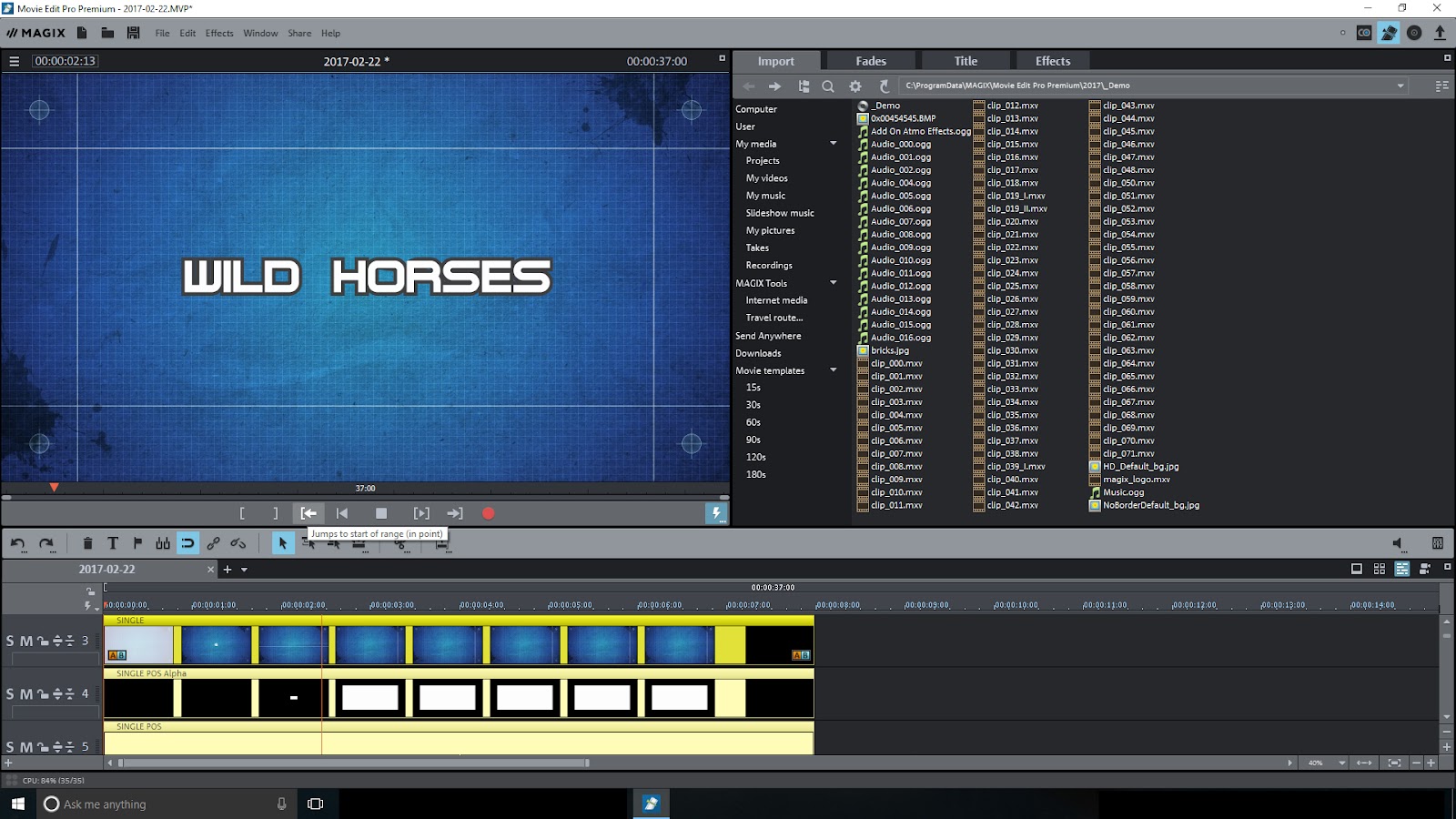
YouTube/Vlogger - You may have ambitions to become the next YouTube sensation or upload videos to your own website. Movie Edit Pro Premium will do it for you!

Pre-Production - You could be developing an idea for a film/movie and/or TV show/theater play, Movie Edit Pro Premium is self-contained to deliver.

Documentary Producer - With today’s smartphones and concealable video recorders it is so very easy to be the producer of riveting documentaries. Bear in mind the legalities of filming people without their knowledge. You don’t need fanciful fades and wipes to distract from the core message of the documentary.

Music Video Director/Producer - If you want to make simple but professional looking music videos on a shoestring budget then look no further!

The point I am making is that we fancy ourselves as some - if not all - of the above. At £89.99, Movie Edit Pro Premium is within reach of anyone who wants to have a go at professional video production without robbing the bank!

WHAT’S NEW
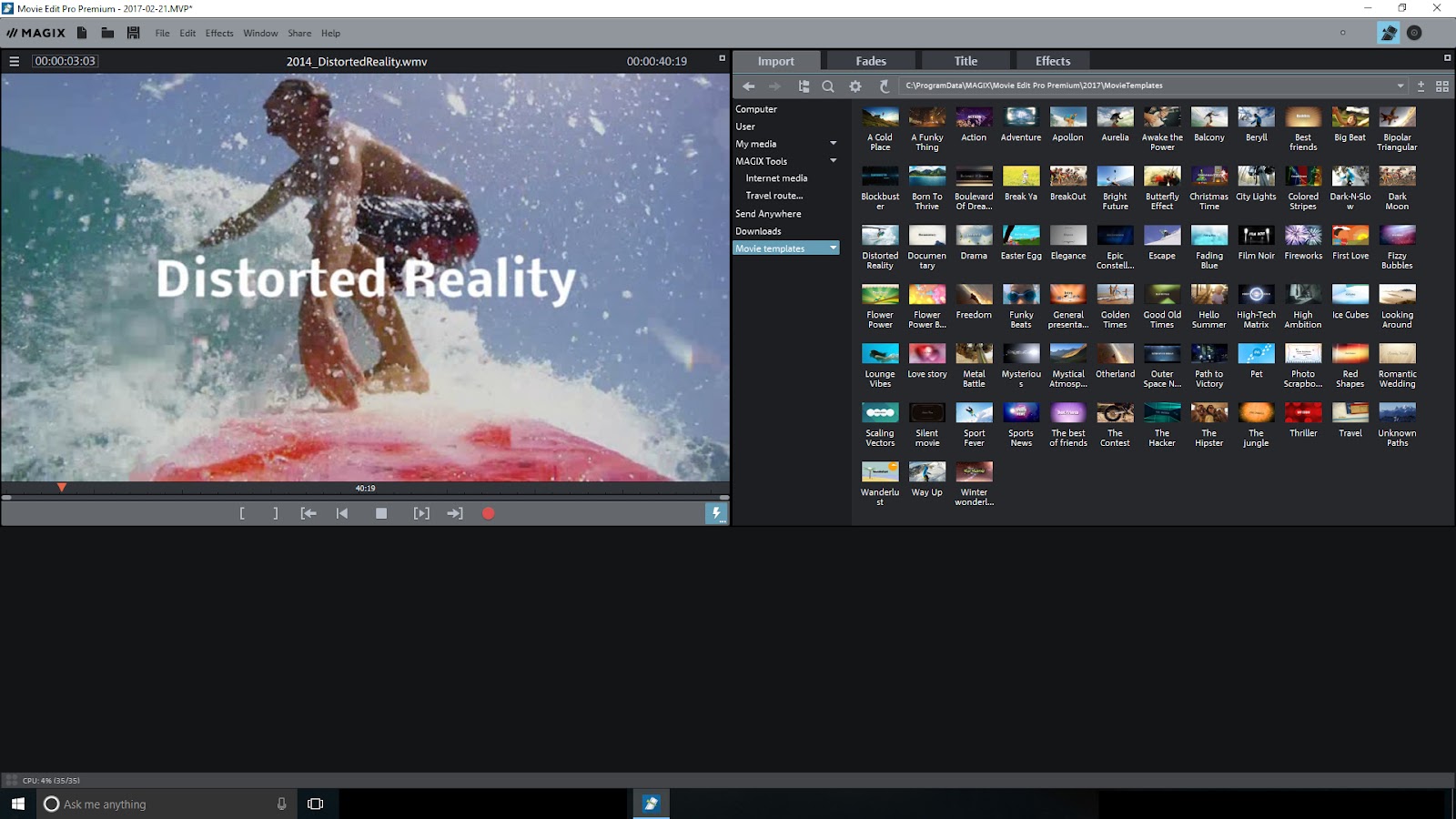
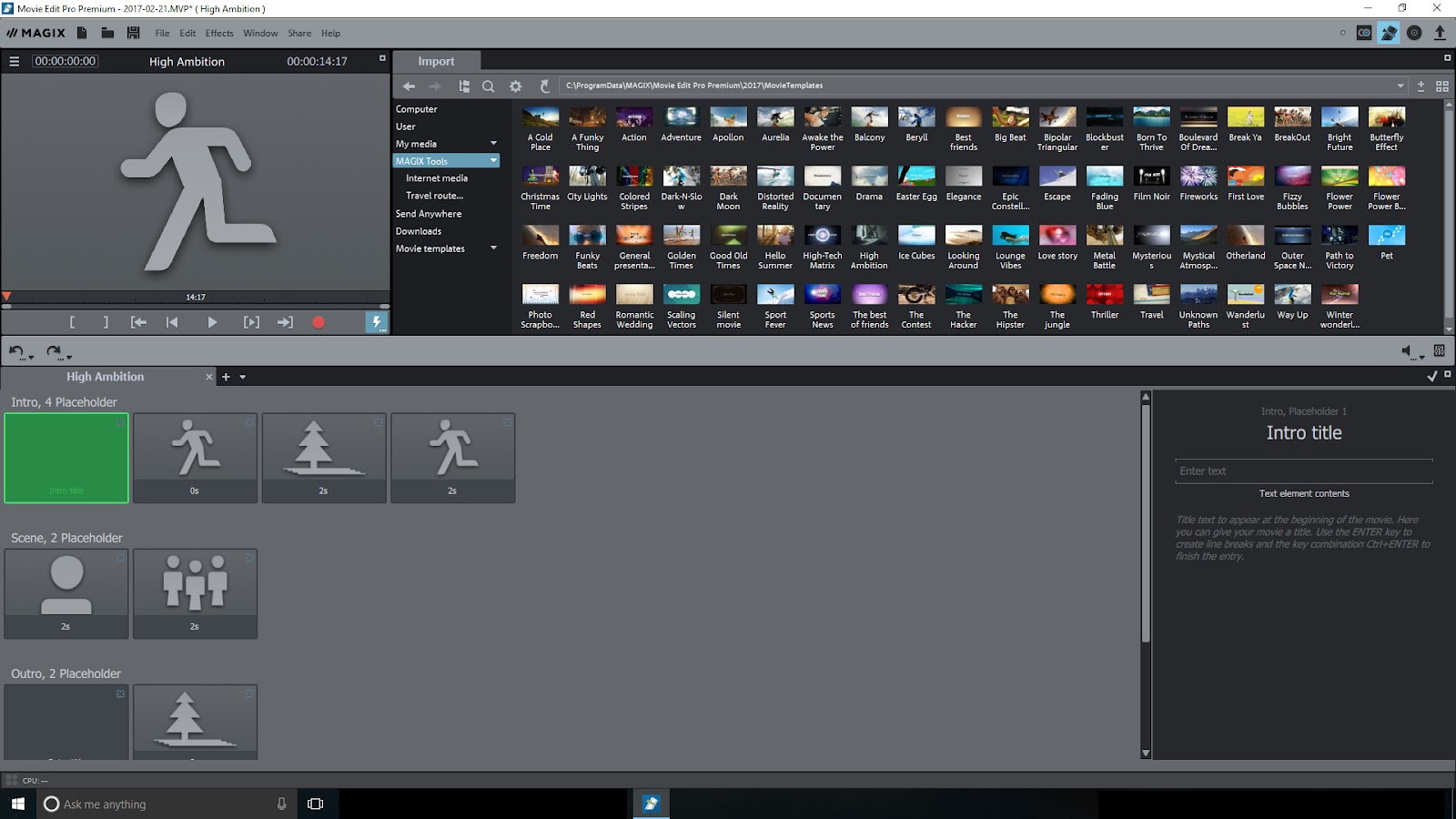
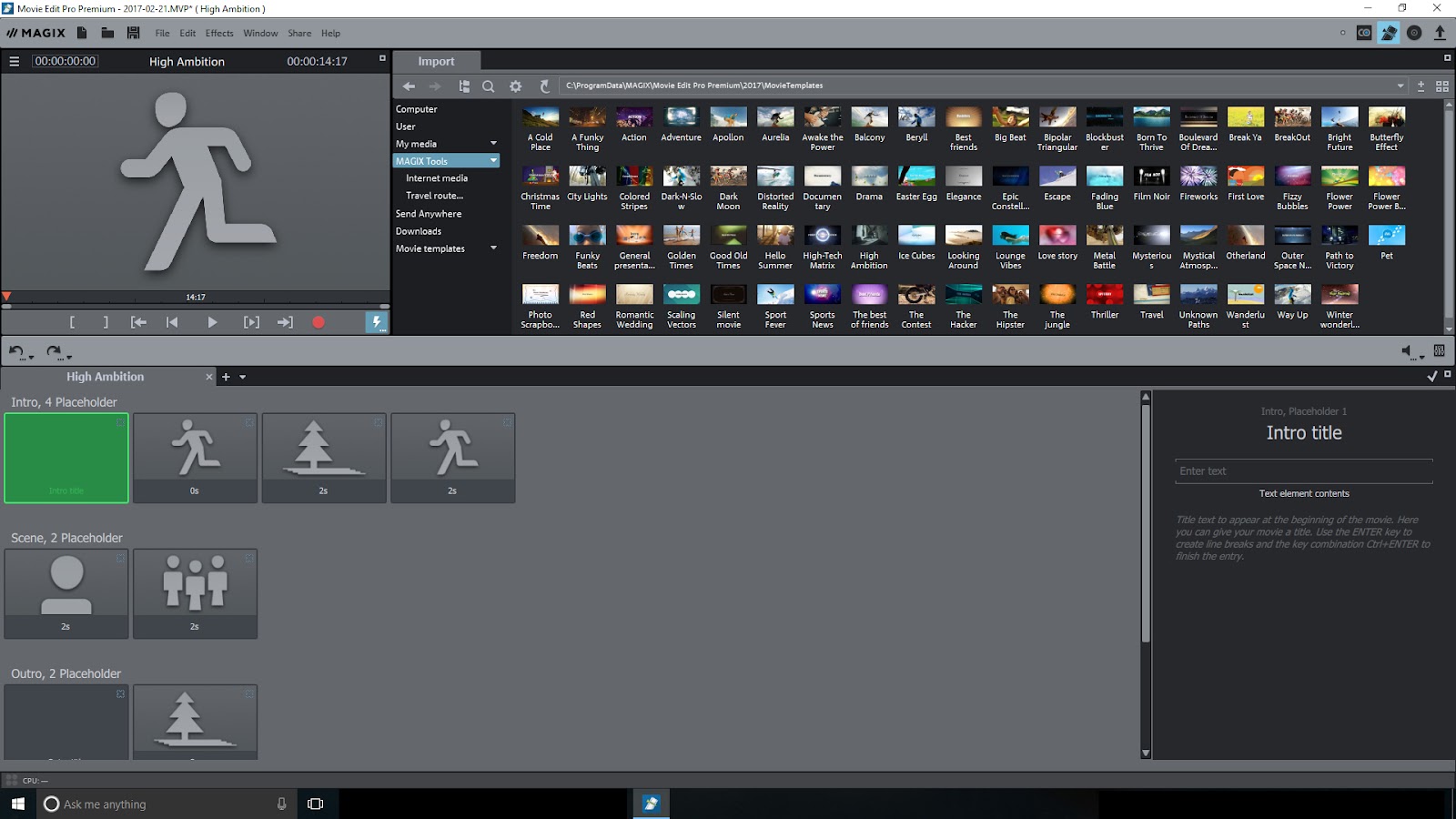
There are movie templates for certain types of genres such as action, drama, documentary, etc. It shows the kind of shots you should be videoing, what should be in the frame, etc. And the edits are in synch with the music soundtrack. This is brilliant!

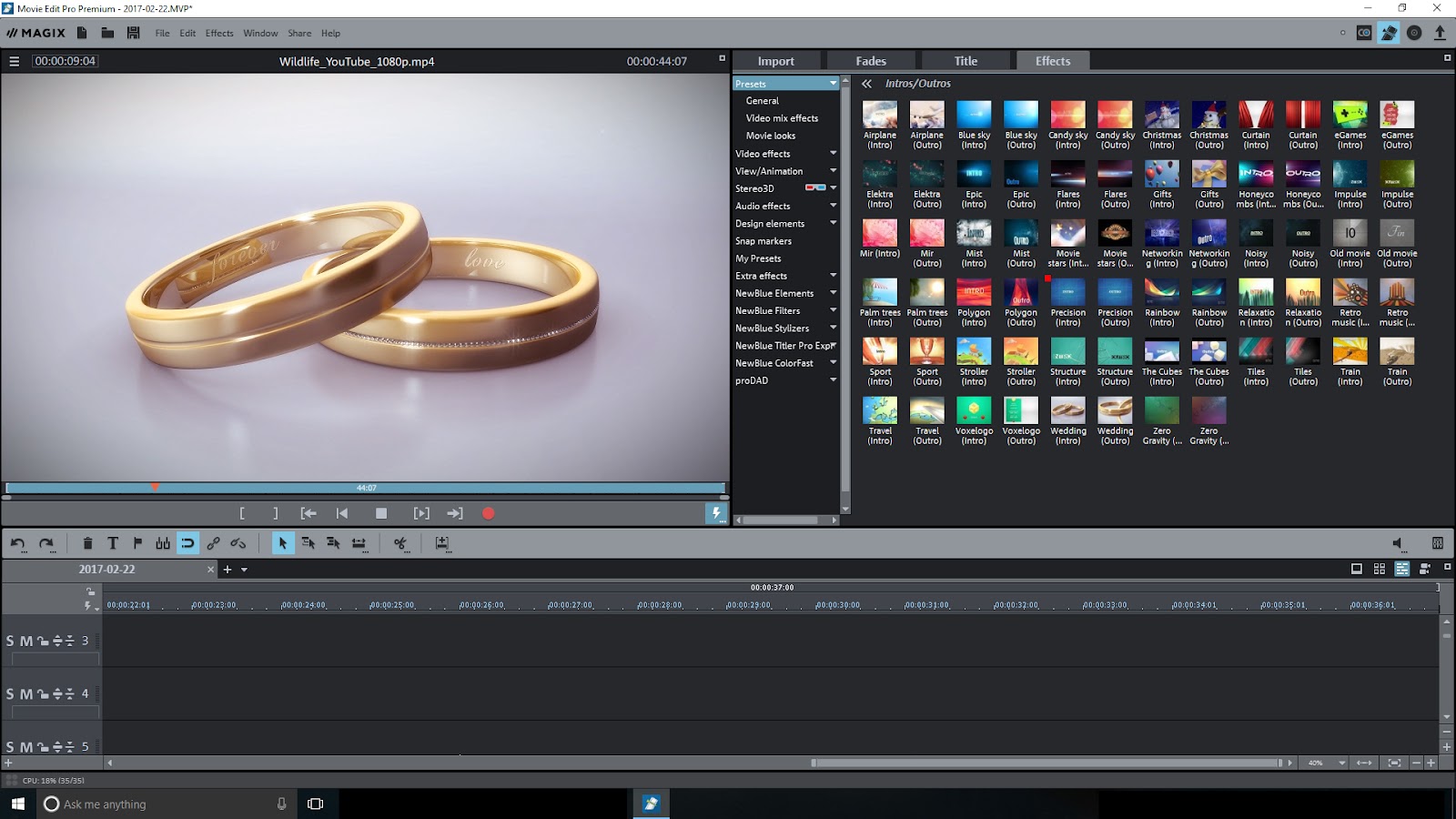
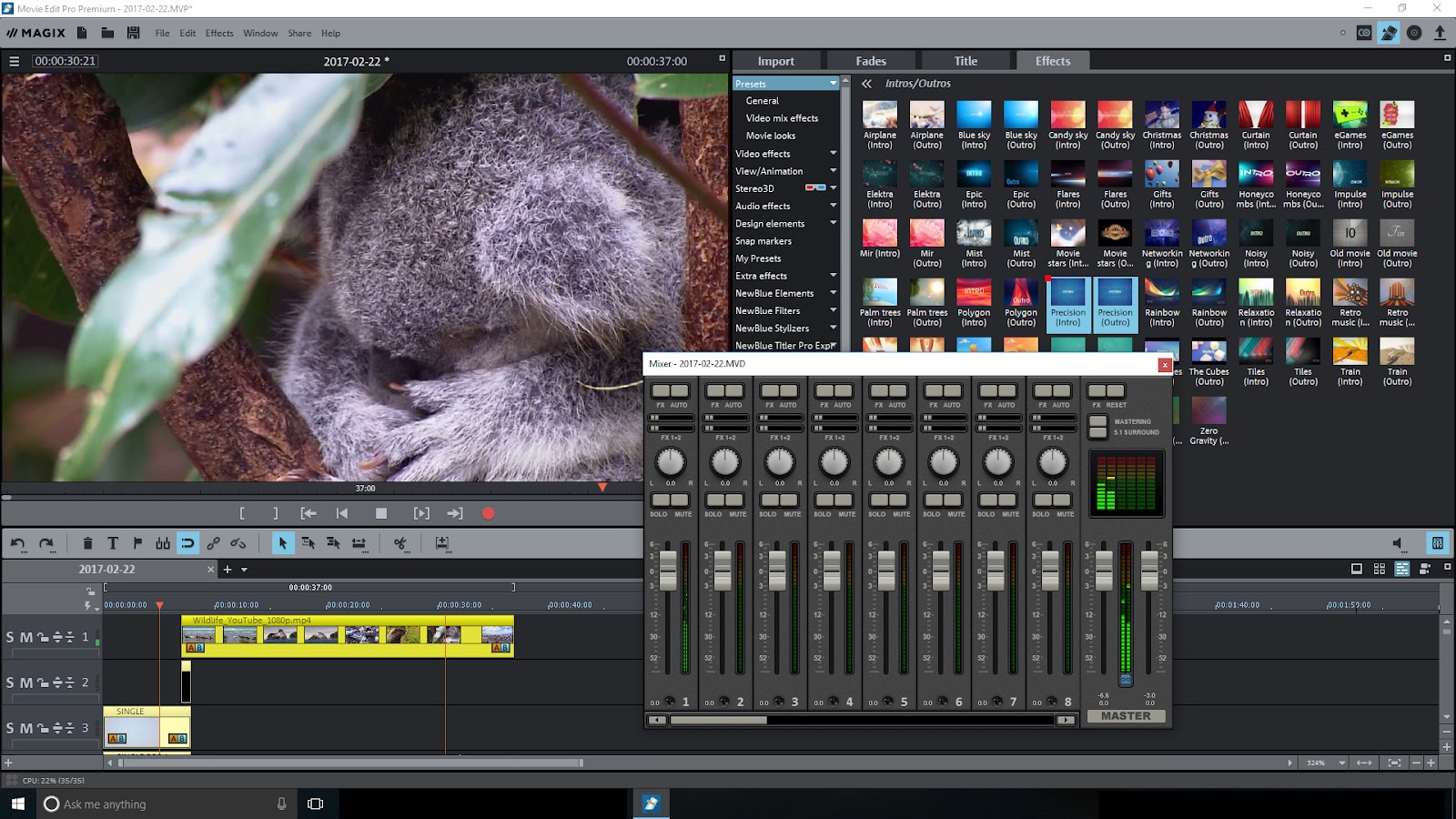
Then there are some intro and outro animations of the kind that you would expect from After Effects. You can edit the intros and outros titles by the way of choosing a different font and stylings such as a drop shadow and outline, as well as the colour of the font. What’s there is pretty limited but you can download more animations from the Catooh website cost effectively. You can, as you may know, get many stock videos for free from various websites but they often lack the polish to look convincingly professional. You get what you don’t pay for. And then there stock video sites that have great looking material but it’ll cost you a pretty penny! Still, what’s there is very good for someone starting out on YouTube; this person will be very appreciative of the intros, outros, and movie genre templates.

In addition, there are some Dynamic title effects. If you have ever used Movie Edit Pro before, you will know that it comes packed with third party software for titling, image stabilization, colour correcting/matching and an animated globe to present travel routes and a whole lot more besides. These attributes are aimed at the happy amateur, if you are a professional video producer you will recognize that Movie Edit Pro Premium 2017 has what you need to produce videos that will be taken seriously.
MOVIE EDIT PRO 17 MIXER.jpg
ROCK SOLID
Movie Edit Pro Premium proved to be incredibly stable and did not crash throughout my tests. The videos played without stuttering and dragging videos to the timeline was a fluid experience - even though I had programs running in the background!
I find the interface lends itself to mostly painless video production.  

ISSUES
There are a few issues that stood out… You have to be sure to deselect video clips after previewing them because the interface doesn’t recognize when you’ve hit play on the timeline to play/preview the main edit. It was a source of irritation.

The intros and outros are configured in a way that you can’t drag and drop them onto the timeline as you go along. If you want to add an intro, you have to first ensure the edit has a duration beyond 3 seconds. And to add an outro, you have to render the video edit with the intro first, and then bring in that render in, perhaps another project, to add the outro. This can be a pain if you have changed the title typeface and other attributes such as outline, typeface colour and so on.

And some of the effects aren’t as clear cut as I would have liked them to be. It would have been an advantage if there was a way of previewing some effects with example videos.

Oh, you have to purchase an MP4 license extra! It’s a small cost, but after you have downloaded all the extra materials you just want to feel secure in the knowledge that you have everything and that you are good to go off the bat!
TEMPLATE 1.jpg

TEMPLATE 2.jpg
CONCLUSION
MAGIX Movie Edit Pro Premium is an undoubted must have for the budget conscious ambitious video producer.

The extras that come with it is simply amazing when cost is taken into consideration; they, the extra plugins - if you will - appeals to all manner of users. If you have been on holiday and want to make a video out of the experience, the animated globe extra, Vasco da Gama 9 Essential, will be of great use - animations can be rendered in 4K too! There are titling effects by NewBlue to add a bit of polish to your final video.
MOVIE EDIT PRO 17 MASTERING.jpg


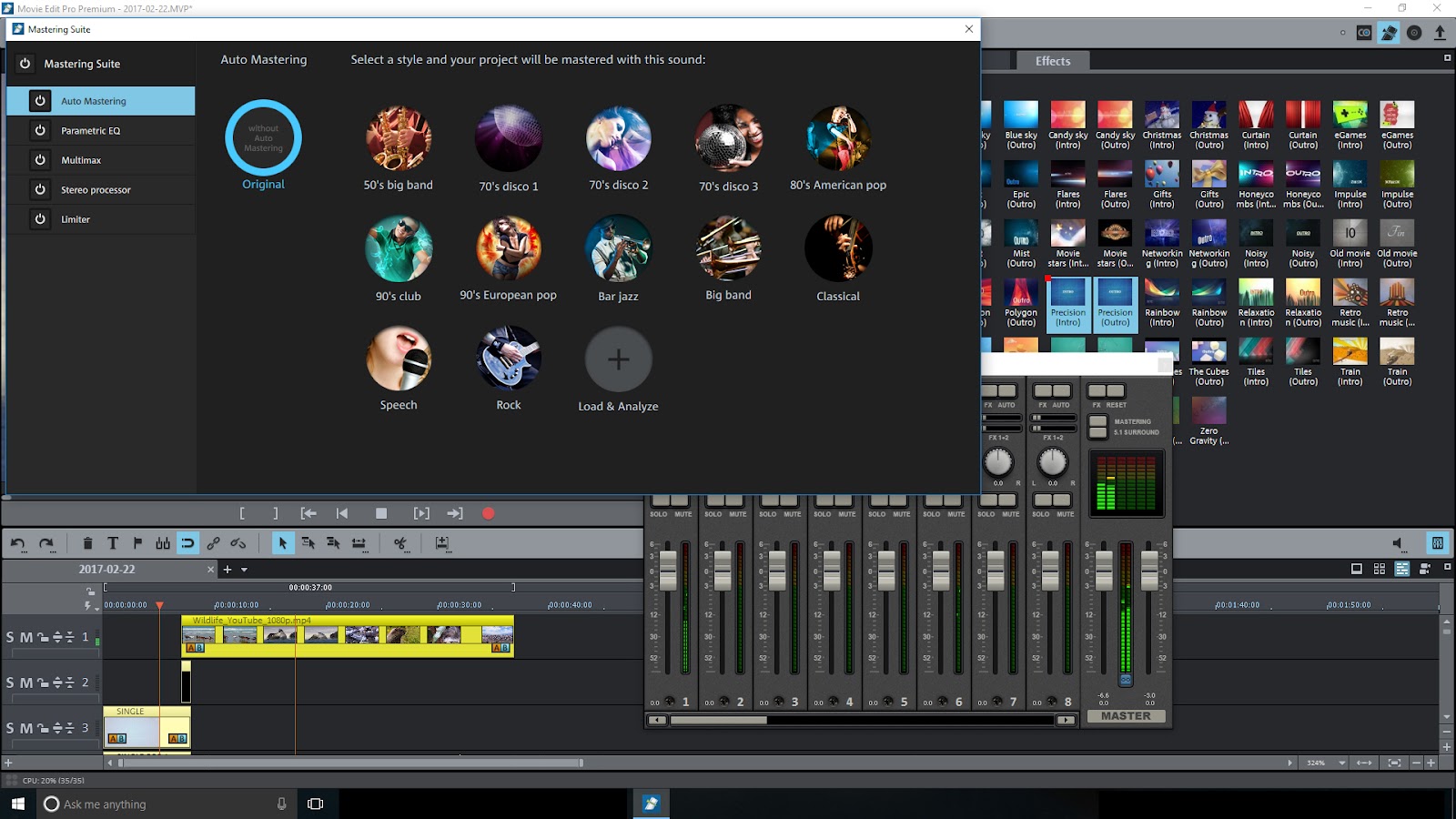
The audio features are nothing short of excellent! You can easily optimize audio through a virtual mixing desk and master the overall sound as you would for a piece of music.

MAGIX have done it again!

Movie Edit Pro Premium scores a Synapse Circuit Platinum! Thanks for reading!

Synapse Circuit/Blue Gene

Tuesday, 25 February 2014

SYNAPSE CIRCUIT HEROGLYPH V4 LE

SYNAPSE CIRCUIT
HEROGLYPH V4 LE
#ProDad #HeroglyphV4 #HeroglyphV4LE

Good evening, Synapse Circuit Readers! How are you tonight? What did you make of the GSMA Awards this year? Do you think they got it right?

Here’s some great news for videomakers...

HEROGLYPH V4 LE
Heroglyph V4 LE Creates Video Titles, Sub-titles, and Credits and a Whole Lot More – Travel Route Animations, Auto-Animated Handscript, Video Walls, Slideshows too; with plug-ins for Popular NLEs and a Standalone Version too!
San Francisco, CA, February 25th, 2014.  proDAD, the highly acclaimed developer of digital video effects and image enhancement technologies today announced availability of it’s new Heroglyph V4 LE video title, trailer animation solution for popular Windows-based Non-Linear Editing (NLE) applications.  A stand-alone version is also available..
Video titling animation apps are often complicated; requiring use of key-frames and other time-consuming manual processes.  Heroglyph V4 LE streamlines the titling process by placing the complexity “under the hood” and giving users 500+ FastStart templates and elements for common projects, delivering highly creative results in a fraction of the time and at a price-point that everyone can smile about.
Price & Availability:
Heroglyph V4 LE is currently available as an electronic download from the proDAD online shop and popular resellers including ToolFarm for an introduction price of £65.99. Heroglyph V4 Pro is available for £209.99.  Learn more at www.prodad.com

What do you reckon?

Review coming very soon.... Stay tuned (pun unintended but works so well)...  
  

Take good care!


Thank you for watching and reading!

Please check out the Synapse Circuit website for video, i-PDF and more! 

Synapse Circuit Dot Com

Monday, 11 November 2013

SYNAPSE CIRCUIT REVIEWS PRODAD HEROGLYPH V4 PRO


Above: The stages of creating a video wall.
SYNAPSE CIRCUIT REVIEWS:
PRODAD HEROGLYPH V4 PRO TITLE SOLUTION
PRICE, £199.99 (FULL). UPGRADE, £106.80
#ProDAD #HeroglyphPRO #HeroglyphV4

Good hour, Synapse Circuit Readers! Did you miss me? I sure missed you! I was down with a case of bad flu and I also was badly in need of taking a much needed rest! I can’t wait to replace my fleshy weak body parts for a spanking new machine upgrade! It’s good to be back! Yay!

Hey! Are you serious about video production? Great! Check this out...

HEROGLYPH V4 PRO, PRODAD
Trying to grab some attention on YouTube does take some doing and therefore you ought to make sure that you take every opportunity to make your videos stand out!

WHAT IS IT?
Heroglyph V4 Pro functions as a plugin for video software (watch out for the Synapse Circuit Magix Movie Edit Pro 2014 Premium review coming soon...) and standalone video titling software.

IN USE
Heroglyph V4 Pro couldn’t be easier to use as it is template driven. There are over 500 templates to chose from that covers a wide range of situations i.e. weddings, christenings, sports, news and so much more! Once a template has been chosen it is so very easy to customize it with video, graphical and text (depending on the fonts installed on your PC) content.

In essence there are title intros, newscaster tickers (as seen on the likes of CNN, Sky, etc), slideshows, travel routes, video walls (a great effect) and a combination of the above!

I found that I didn’t need to consult a manual as the interface is pretty much self-explanatory! I had great fun with it!

VERDICT
ProDAD (I love that name as it conjures up images of professional fathers) has produced another winning plugin for many of today’s leading video editing programs and standalone.

I truly think that Heroglyph V4 Pro is essential for anyone serious about video production and video blogging.

The only thing that I would change is that in standalone mode is for more video formats to be supported beyond Windows Media. As you should know many of today’s video recording devices captures video in the MP4 format and it is a bit of a pain to have to launch a video editing program and / or reformat to AVI / WMV. But having said that I think that ProDAD Heroglyph V4 Pro is very cost effective and can save a lot of time in trying to reinvent the wheel where video titling is concerned.

There is a slight danger of videos looking similar to other videos produced by others using Heroglyph V4 Pro but with a bit of care i.e. YOU putting in your OWN graphical / video content your productions will be able to stand out. It is the BBC, CNN, Sky, etc logos that makes their productions distinctive.

I am very much inspired by ProDAD’s brilliant plugin! You will be too!

SCORE OUT OF 5

4 .8 / 5

SUPERB VALUE!
The price is right for video producers of all abilities!

COMPATIBLE VIDEO EDITING SOFTWARE
ProDAD Heroglyph V4 Pro is compatible with the following software:

Adobe
Adobe Premiere Elements 1.0, ..., 11.0
Adobe After Effects CS5, CS5.5, CS6, CC
Adobe Premiere CS5, CS5.5, CS6, CC

Avid
Avid Studio
Avid Media Composer 5.5, 6.0, 7.0

Corel
Corel VideoStudio Pro X4, X5, X6

Grass Valley K.K.
GV EDIUS NEO 3.x
GV EDIUS 6.0, 6.5, 7.0

MAGIX
MAGIX Video deluxe 16, 17, 18
MAGIX Video deluxe 2013, 2014
MAGIX Video Pro X3, X4, X5
MAGIX Movie Edit Pro 17

Pinnacle Studio
Pinnacle Studio 14, 15, 16

Sony
Sony Vegas Pro  9, 10, 11 (32-/64-Bit)
Sony Vegas Pro 12 (64-Bit)
Sony Vegas Movie Studio HD Platinum 10, 11, 12
Sony MoviEZ generally doesn't support third party plugins.
OFX version of Heroglyph V4 Pro plug-in supports Vegas Pro 10 & 11 64-bit versions or Vegas Pro 12 only.  All other versions of Vegas Pro use the non-OFX version.

I hope you enjoyed this review. Stay tuned for more reviews to come.

Watch this space: Synapse Circuit dot com!

Take good care!


Feel free to leave some comments and subscribe! 

Monday, 7 October 2013


SYNAPSE CIRCUIT
INTRODUCING PRODAD HEROGLYPH V4 PRO TITLE SOLUTION
#ProDAD #HeroglyphV4

Good late evening, Synapse Circuit Readers! I hope that you had an awesome weekend! I sure did! I can’t believe the wonderful warm weather we are experiencing in London, UK! I hope it lasts for a good while to come!

Hey, do you have aspirations to create content for your own YouTube channel? You might wanna check the following out...

PRODAD® LAUNCHES GREATLY ENHANCED HEROGLYPH® V4 PRO TITLE, TRAILER ANIMATION SOLUTION
proDAD’s Heroglyph V4 Pro Gives Professional & Hobbyist Video Editors New Tools for Adding Creative Titles, sub-titles, credits, trailers, travel route animation, and more to their productions.

proDAD, the highly acclaimed developer of digital video effects and image enhancement technologies today announced availability of it’s much anticipated Heroglyph V4 Pro video title, teaser, trailer animation solution for Windows-based Non-Linear Editing (NLE) applications.  Video titling animation apps are often complicated; requiring use of key-frames and other time-consuming manual processes.  Heroglyph V4 Pro streamlines the titling process by placing the complexity “under the hood” and giving users simple wizards & FastStart templates for common projects, delivering highly creative, broadcast-ready results in a fraction of the previous time.

Heroglyph V4 Pro’s Main Features:
  • ·    500+ Professional-grade FastStart templates & elements perfect for common titling needs in broadcast news, documentary, wedding, sports, major video productions, and much more;
  • ·    Unlimited combinations of effects and animations for all major project types and full resolution, real-time preview of changes and adjustments to a project, no rendering to see changes – a Heroglyph V4 exclusive feature!
  • ·    Fantastic auto-generated handwriting script animation – proDAD developed a font for animating hand script text & symbols by simply typing the desired text and symbols. No more complicated drawing or key-framing;
  • ·    Greatly simplified Travel Rout animation – simply insert a map, click and draw to animate a travel route with many options for timing, effects animation;
  • ·     Wizard-based assistance for creating Travel Route animations, Video Walls, Slideshows, and new auto-animated handwriting script
  • ·     32-bit and 64-bit plug-in support for seamless integration with popular NLEs from Adobe, AVID, Corel, Grass Valley, MAGIX, Pinnacle Studio, and Sony;
  • ·     32/64-bit sand-alone titling app for those who use non-supported NLEs or who just desire a stand-alone app;
  • ·      New streamlined Windows ribbon-style interface gives instant access to key features with minimal learning curve;
  • ·     Optimized for today’s multi-core, multi-thread CPUs;
  • ·         AFFORDABLE!

“Our Heroglyph customers asked us for more simplicity and a straight-forward workflow, in addition to new great features and possibilities to make their creative dreams come true” said Andreas Huber, proDAD’s Managing Director. “Heroglyph V4 Pro is the result; fulfilling those dreams for everyone – for Pros to save time and deliver excellent output quality; and for video enthusiasts to create more professional looking productions– and for all of them – affordability.”

Price & Availability
Heroglyph V4 Pro is currently available as an electronic download from the proDAD online shop and popular resellers for an MSRP for £199.99 *.  Heroglyph 2.6 & Heroglyph 2.6 Rapid customers can upgrade to Heroglyph V4 Pro for as little as £106.80 *via the proDAD.com web store only.  Physical boxed product is available from Amazon.com.  Learn more at www.prodad.com

About proDAD:
proDAD develops and distributes innovative video effects solutions for creative video editing and multimedia applications. Founded in 1990, the company serves the international market with numerous renown, and award winning products including Adorage® and VitaScene® video effects products, Heroglyph® video titling, and Mercalli® video stabilization + rolling-shutter correction plug-ins.  proDAD cooperates, on the developmental level, with leading creative software developers including Adobe, Apple, AVID, COREL, Grass Valley, MAGIX, and Sony. proDAD’s headquarters are situated in the southwestern German town of Immendingen, Germany, and maintains branch offices in the US and Japan.

SYNAPSE CIRCUIT SAYS...

...Previous versions of Heroglyph have been outstanding – indispensable for serious video production and I am looking forward to bringing you a review of this latest version very, very soon!

Watch this space!

I hope you enjoyed this introduction. Stay tuned for more reviews to come.

Watch this space!

Take good care!


Please enjoy the video below! Feel free to leave some comments and subscribe!


Thank you for watching and reading!

Please check out the Synapse Circuit website for video, i-PDF and more! 

Synapse Circuit Dot Com